
Presentation · 38 slides
The Remote VA Toolkit
Tools reviewed September 2026
1View the slides
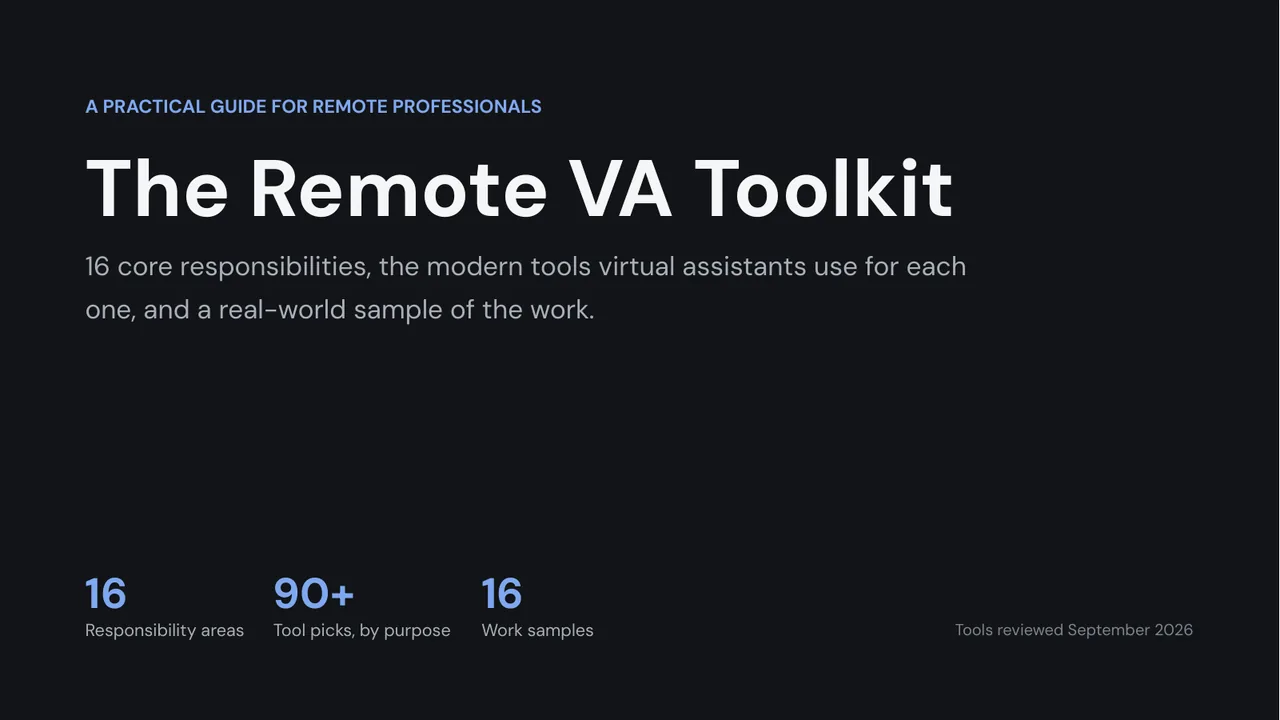
Slide 1 of 38The Remote VA Toolkit
Tip: click the slide, then use the arrow keys.
2All 38 slides
Start here Slides 1 to 4
 01 The Remote VA Toolkit
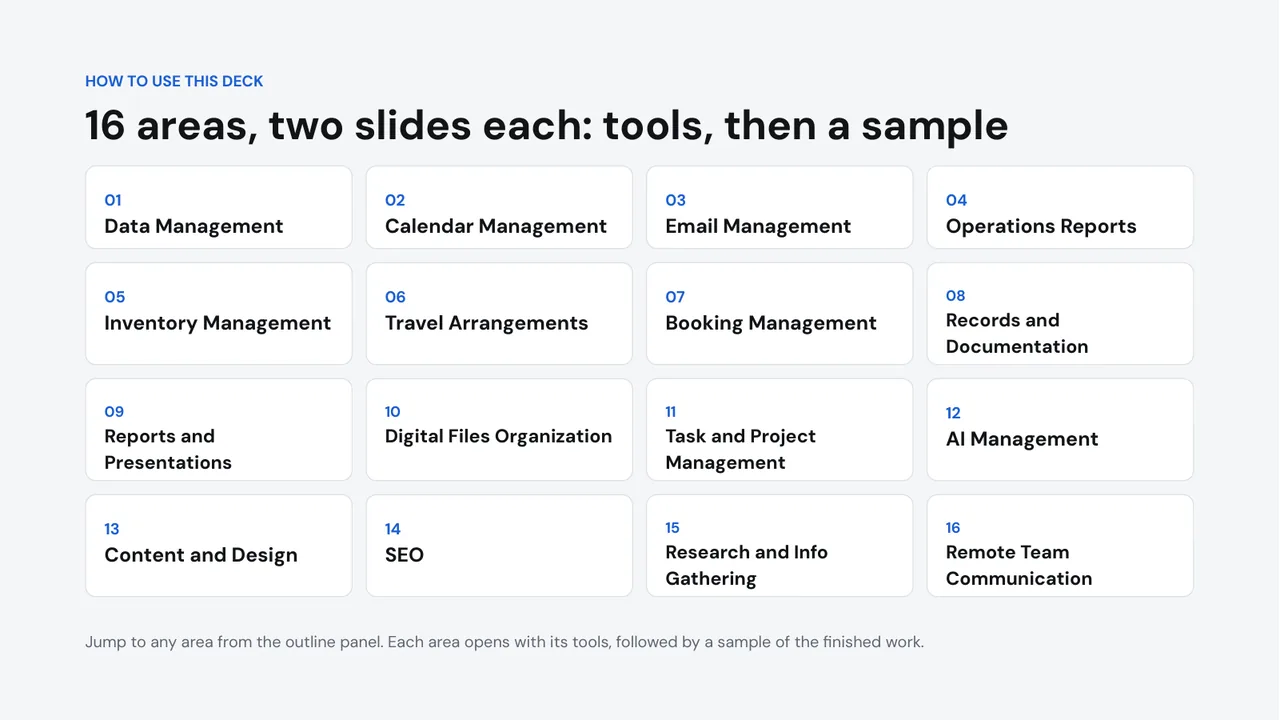
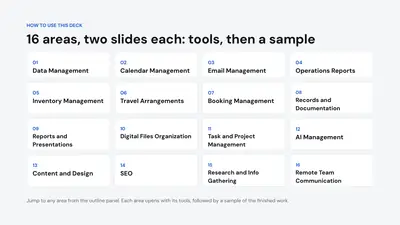 02 16 areas, two slides each: tools, then a sample
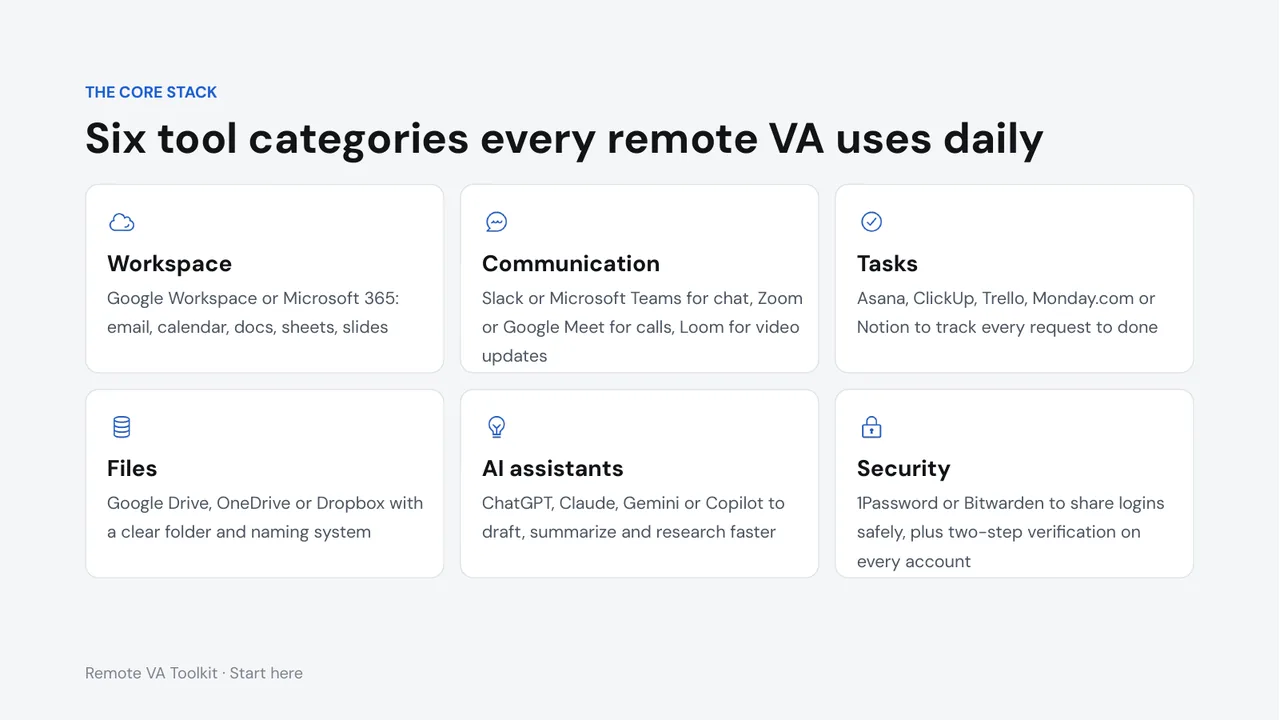
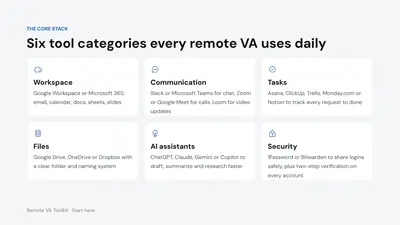 03 Six tool categories every remote VA uses daily
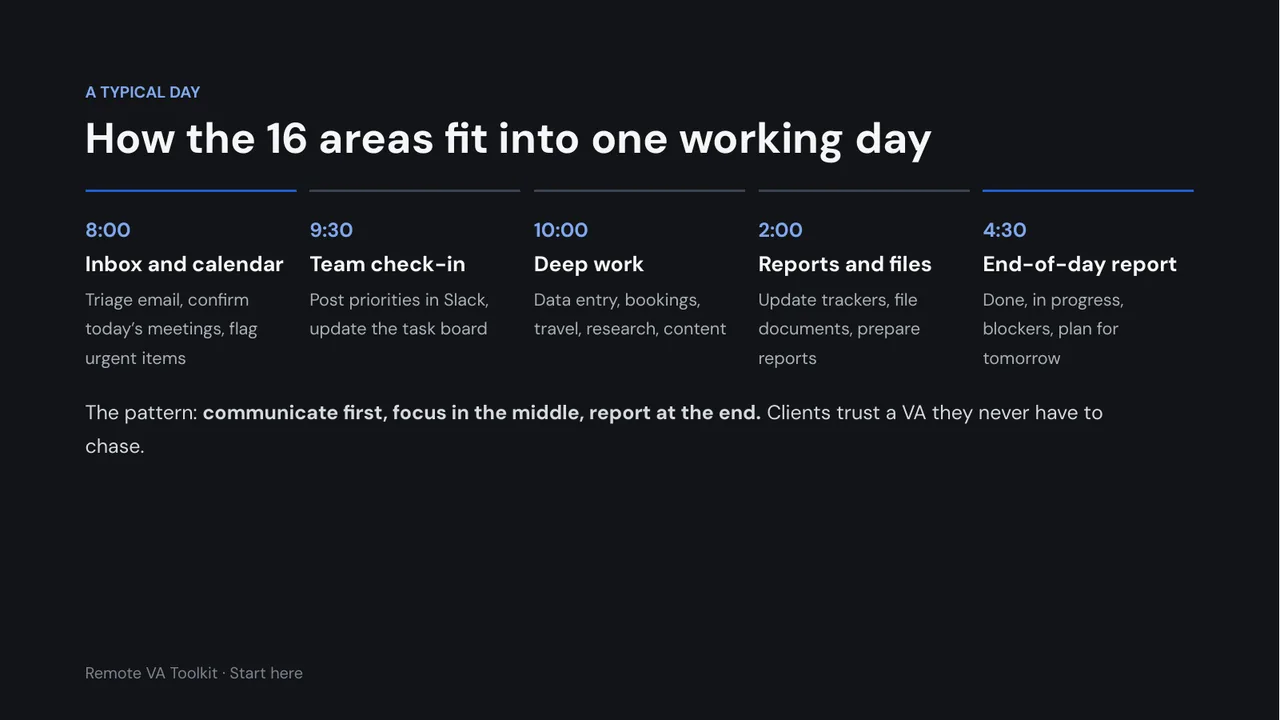
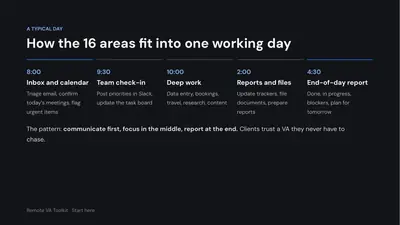 04 How the 16 areas fit into one working day
16 responsibility areas: tools, then a sample Slides 5 to 36
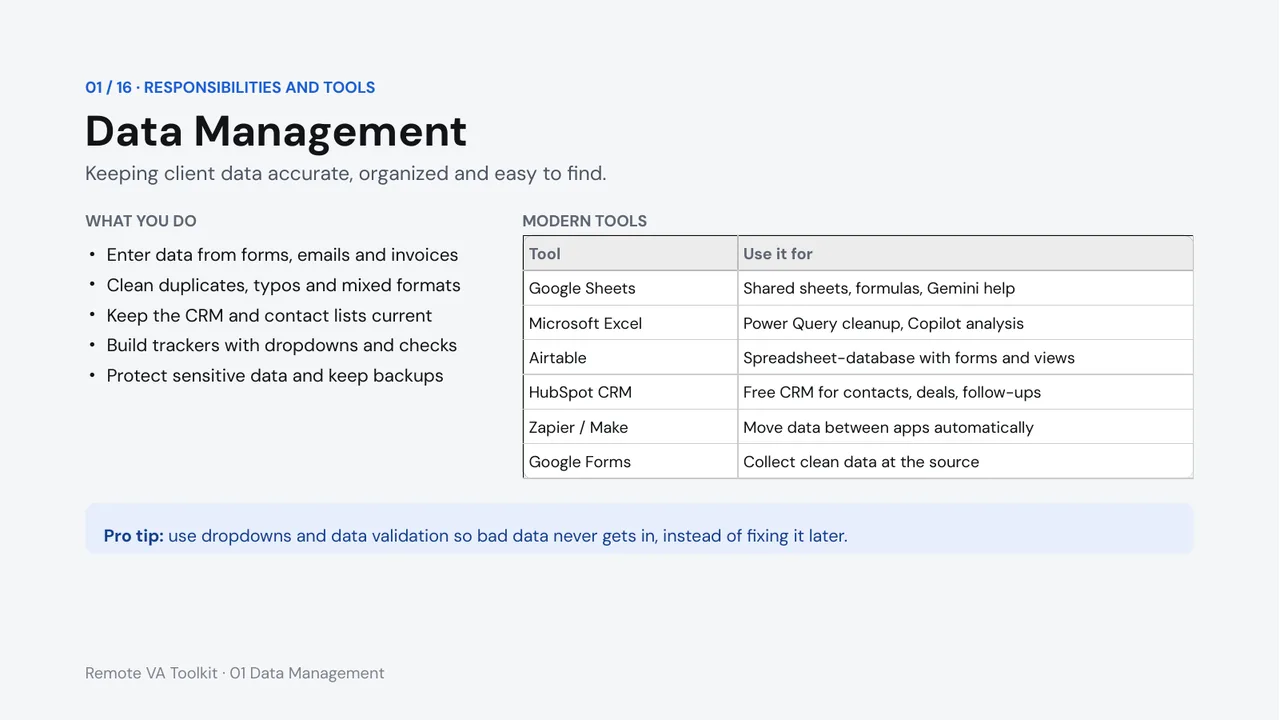
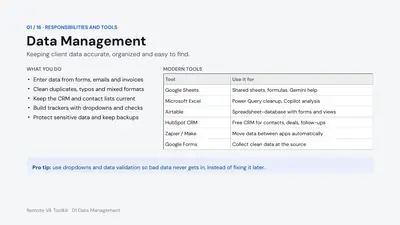 05 Data Management · tools
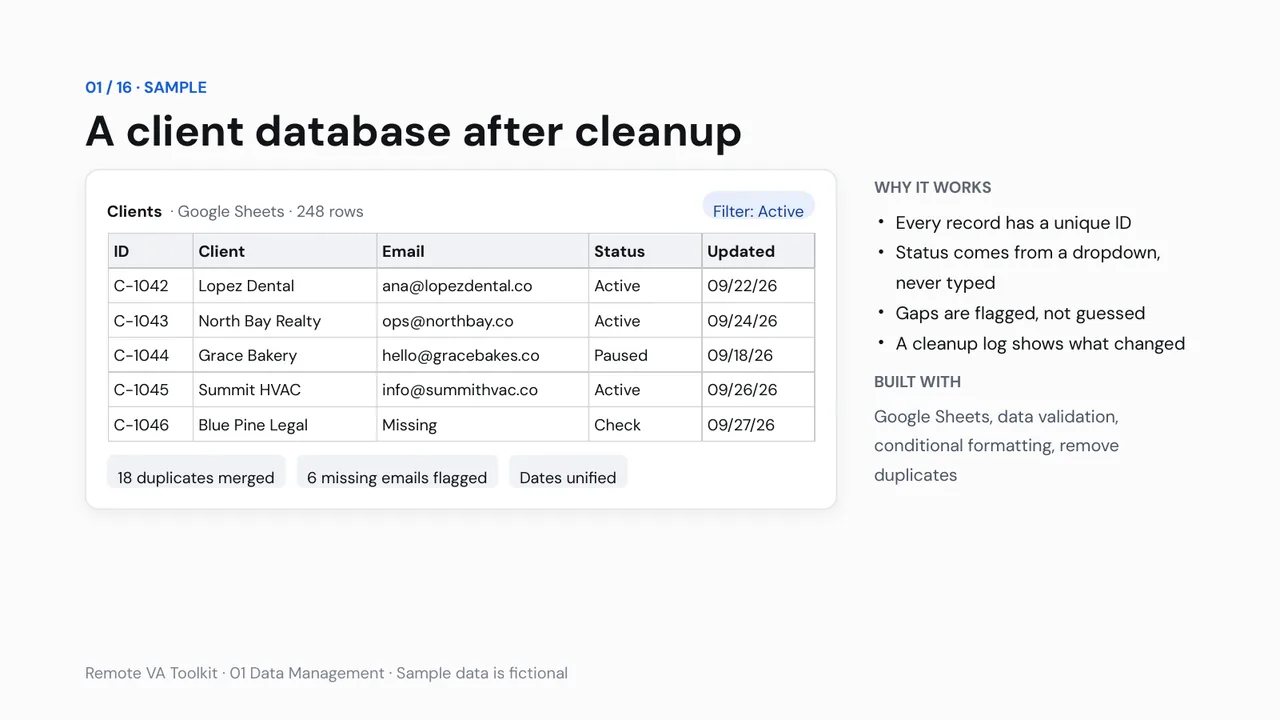
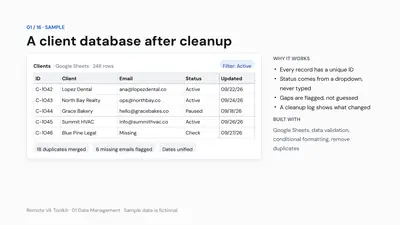 06 Data Management · sample
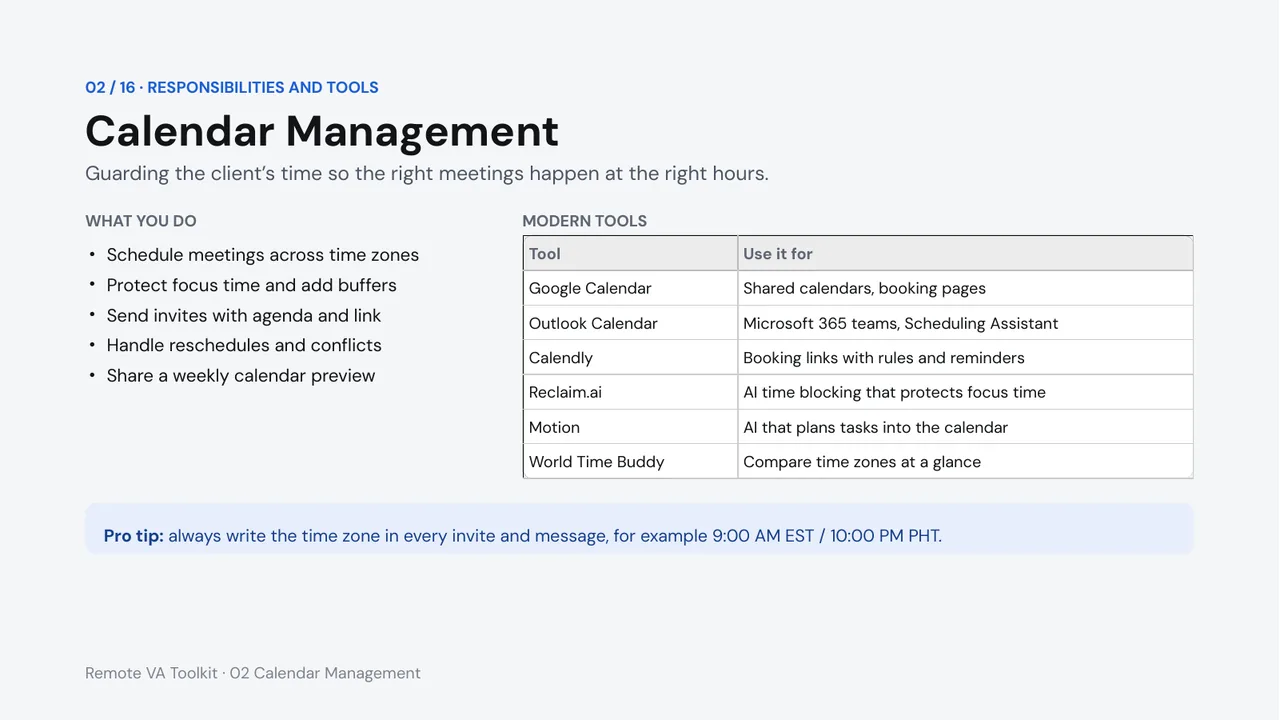
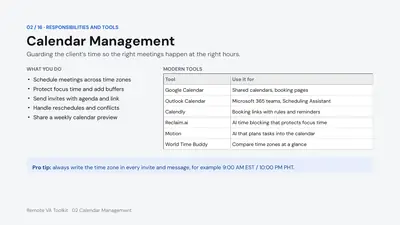 07 Calendar Management · tools
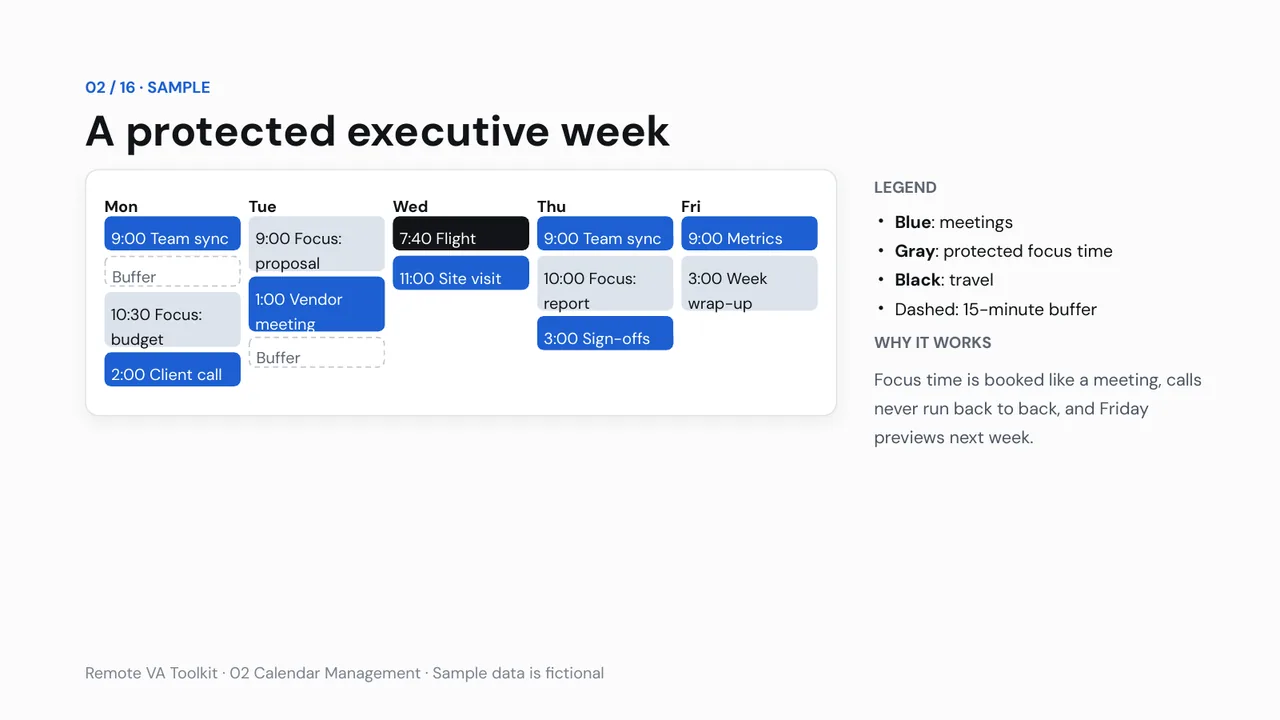
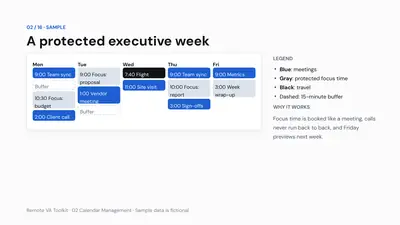 08 Calendar Management · sample
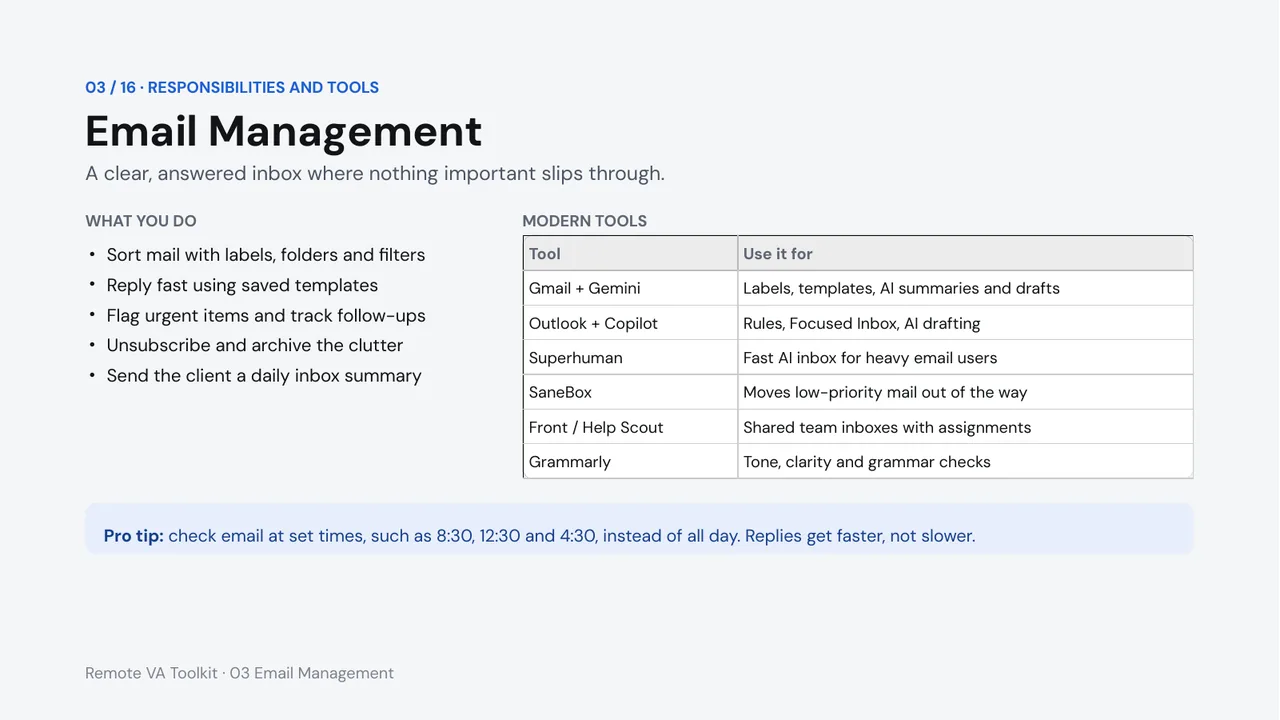
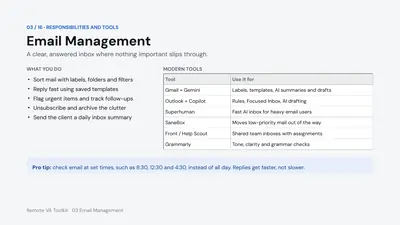 09 Email Management · tools
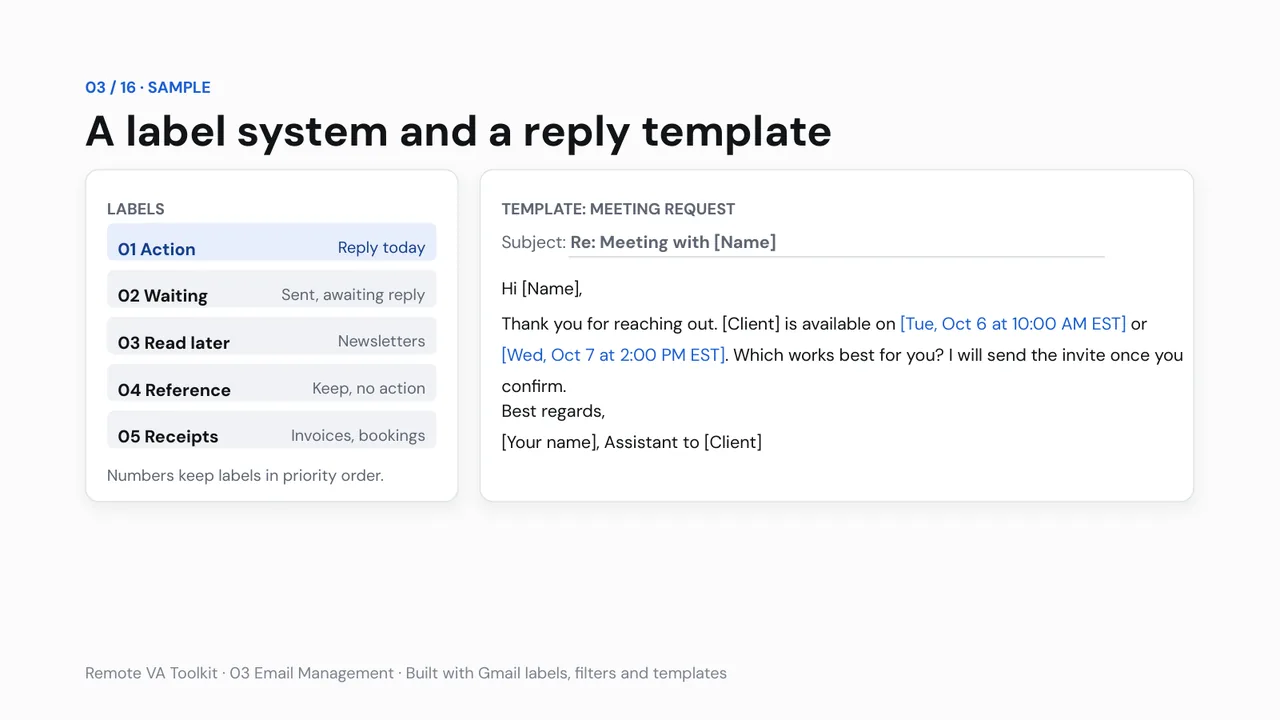
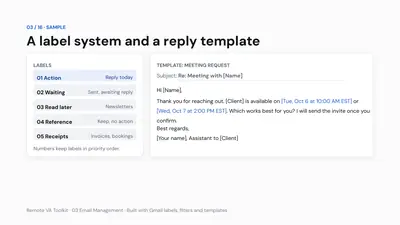 10 Email Management · sample
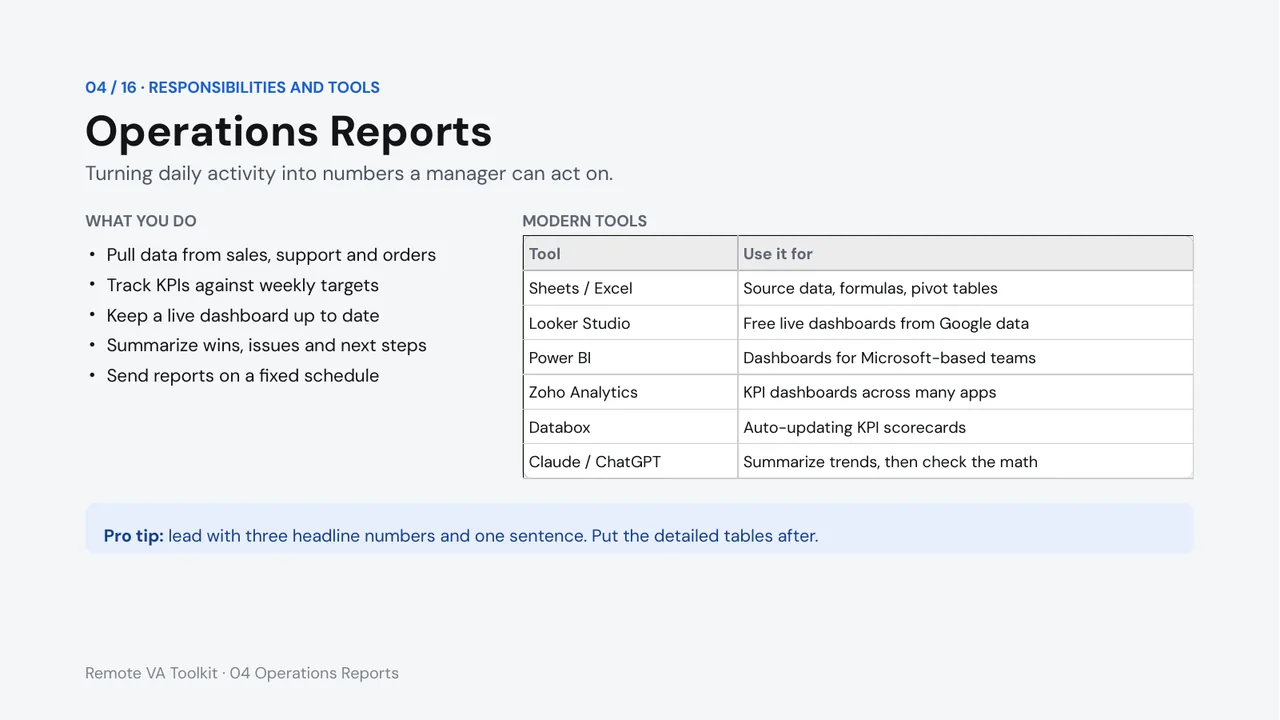
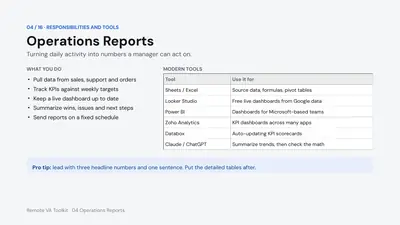 11 Operations Reports · tools
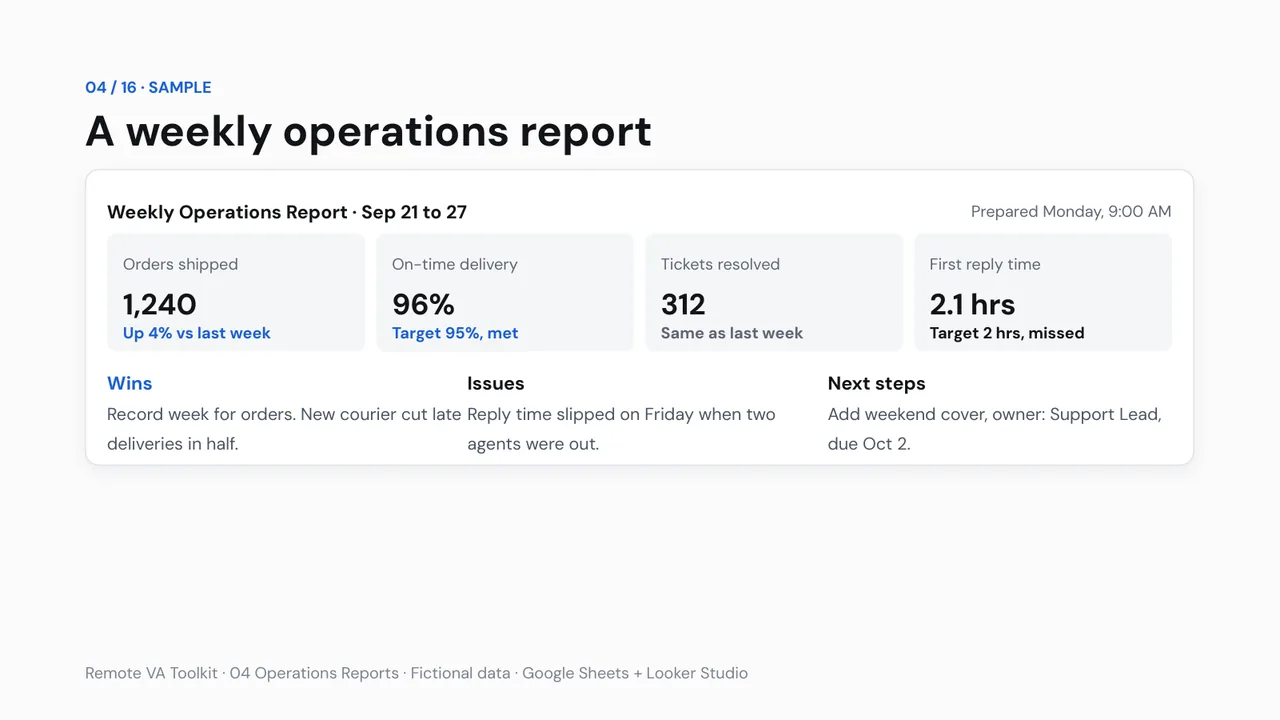
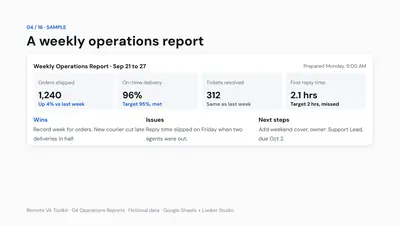 12 Operations Reports · sample
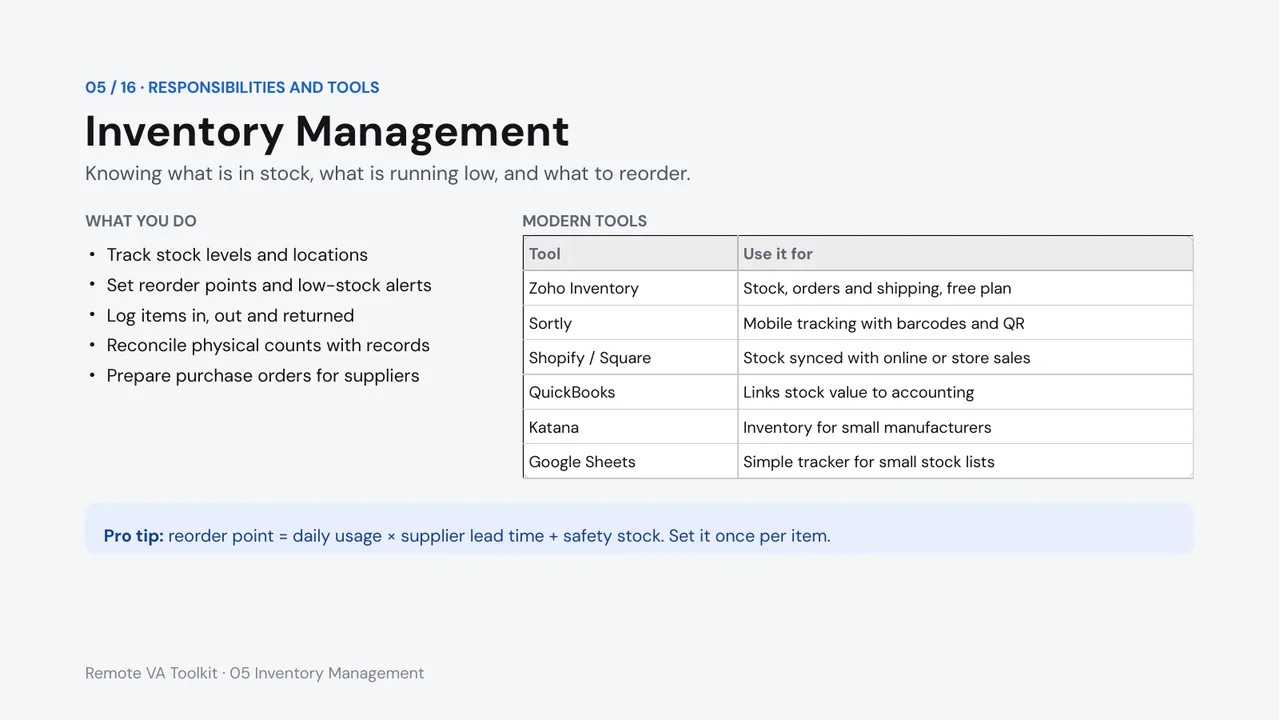
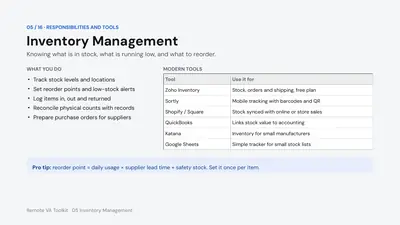 13 Inventory Management · tools
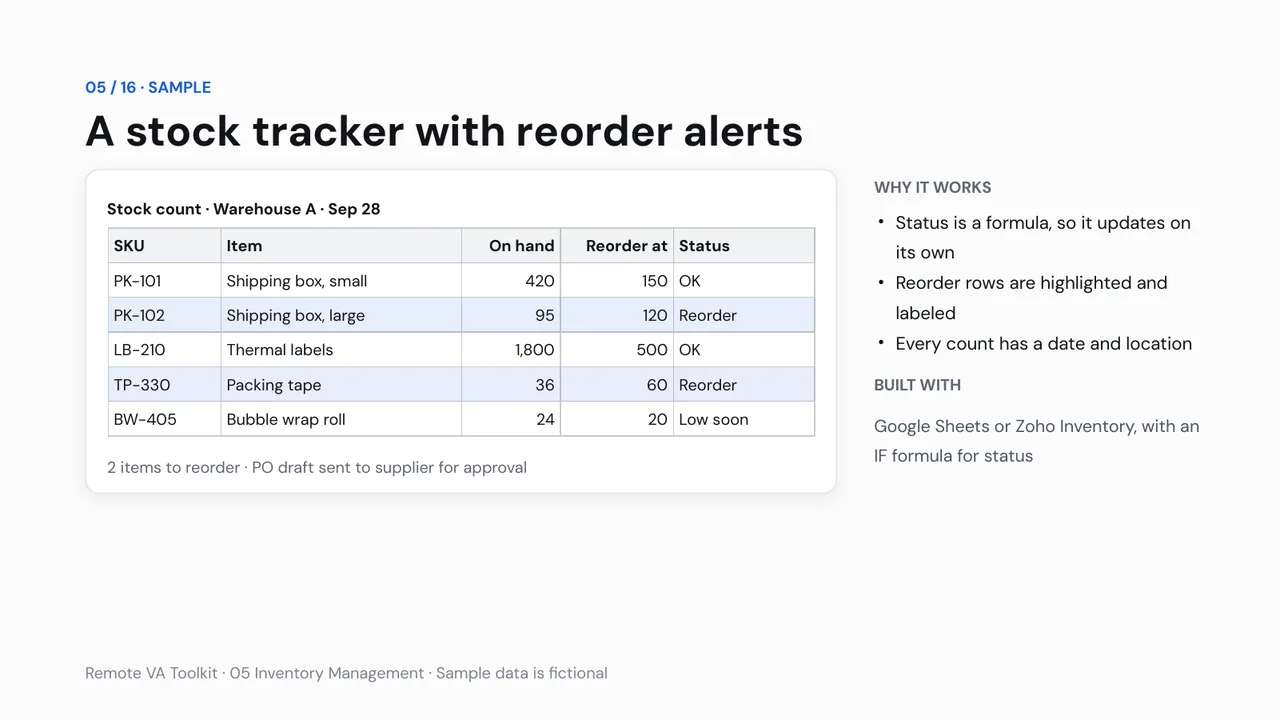
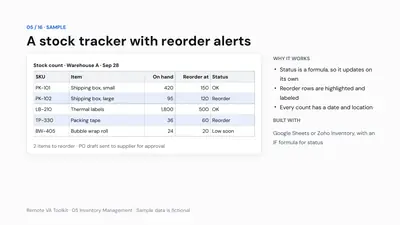 14 Inventory Management · sample
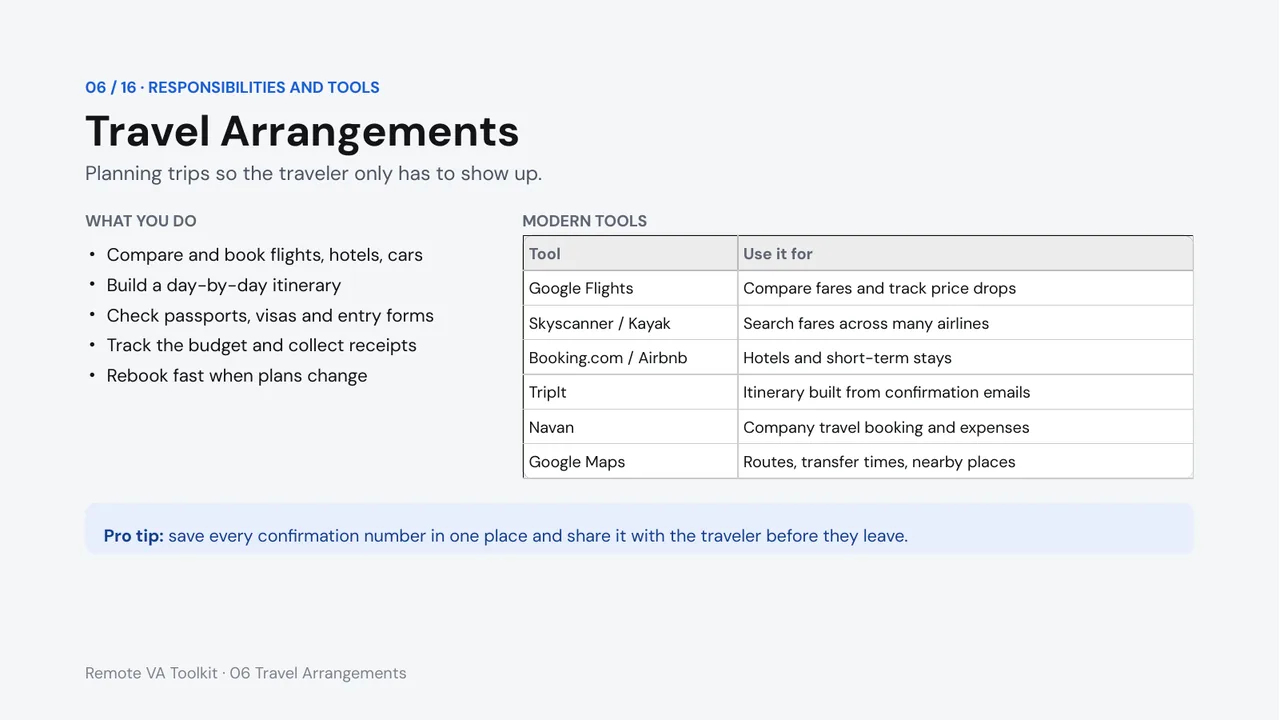
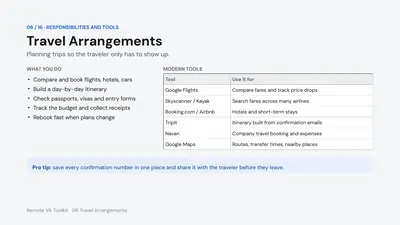 15 Travel Arrangements · tools
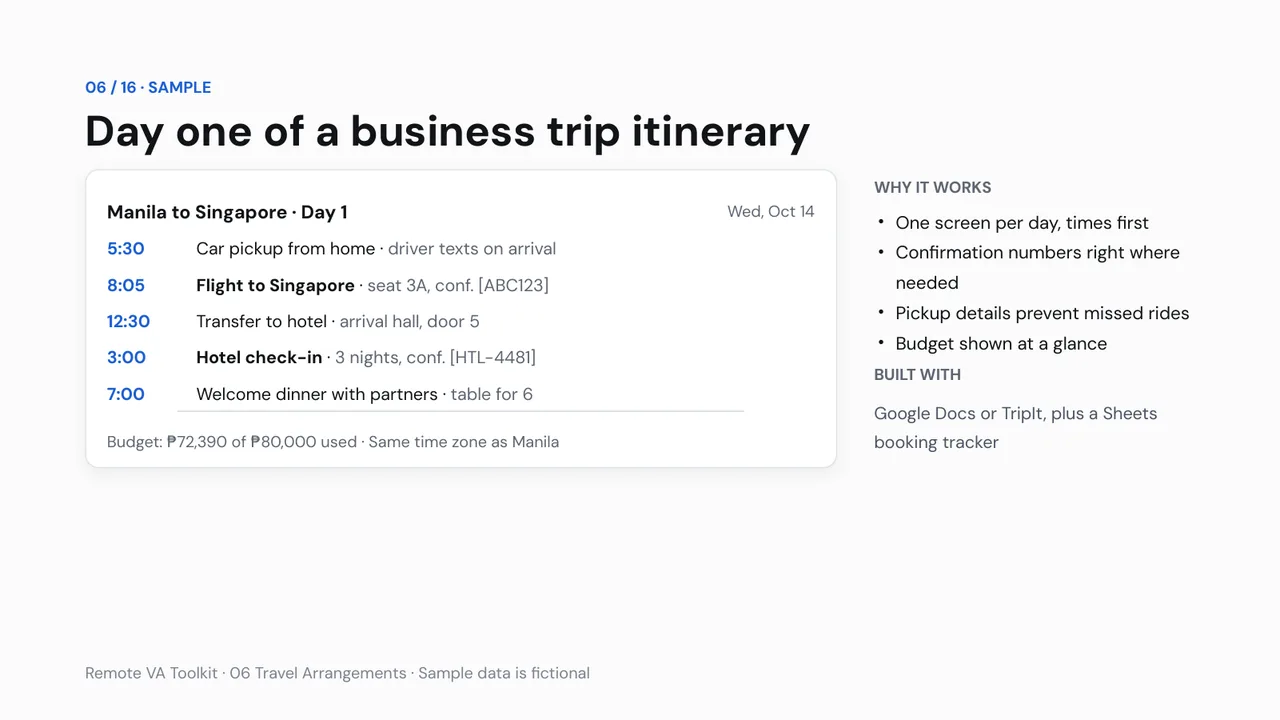
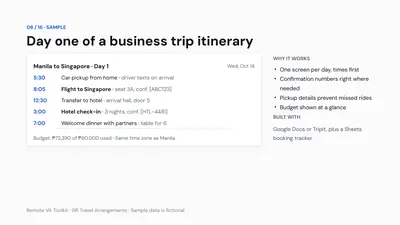 16 Travel Arrangements · sample
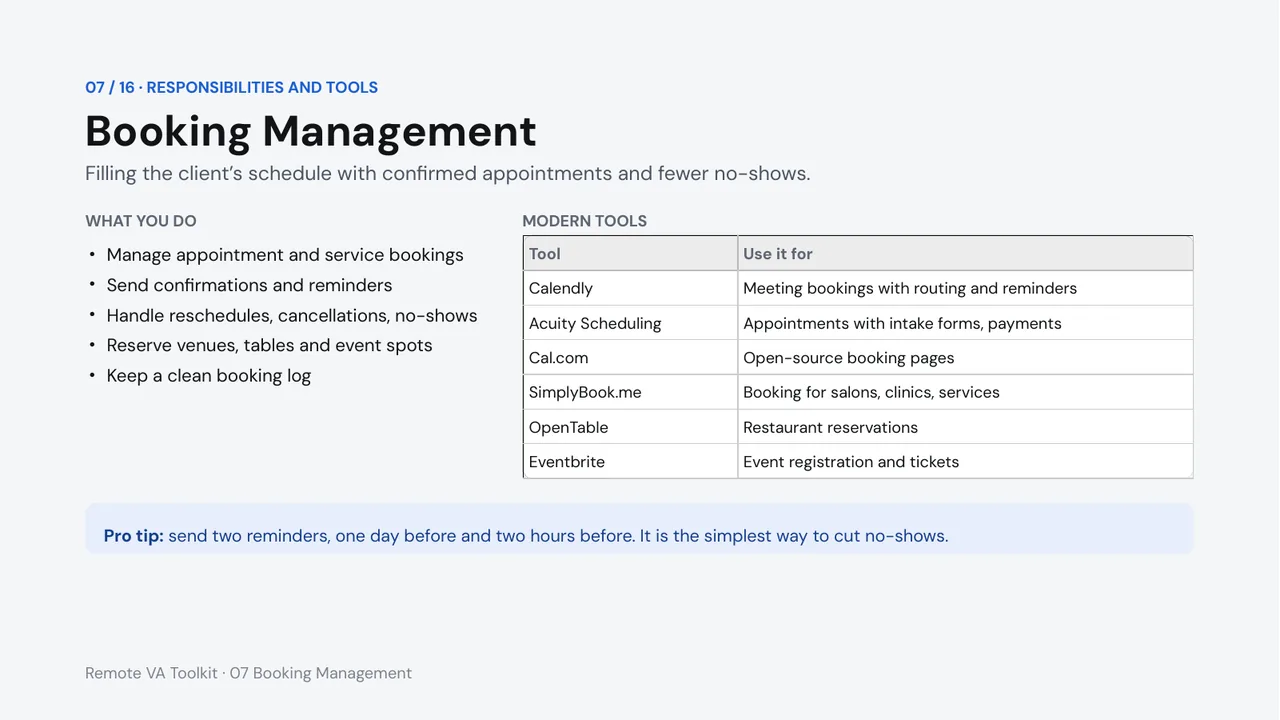
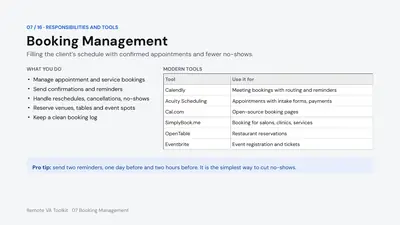 17 Booking Management · tools
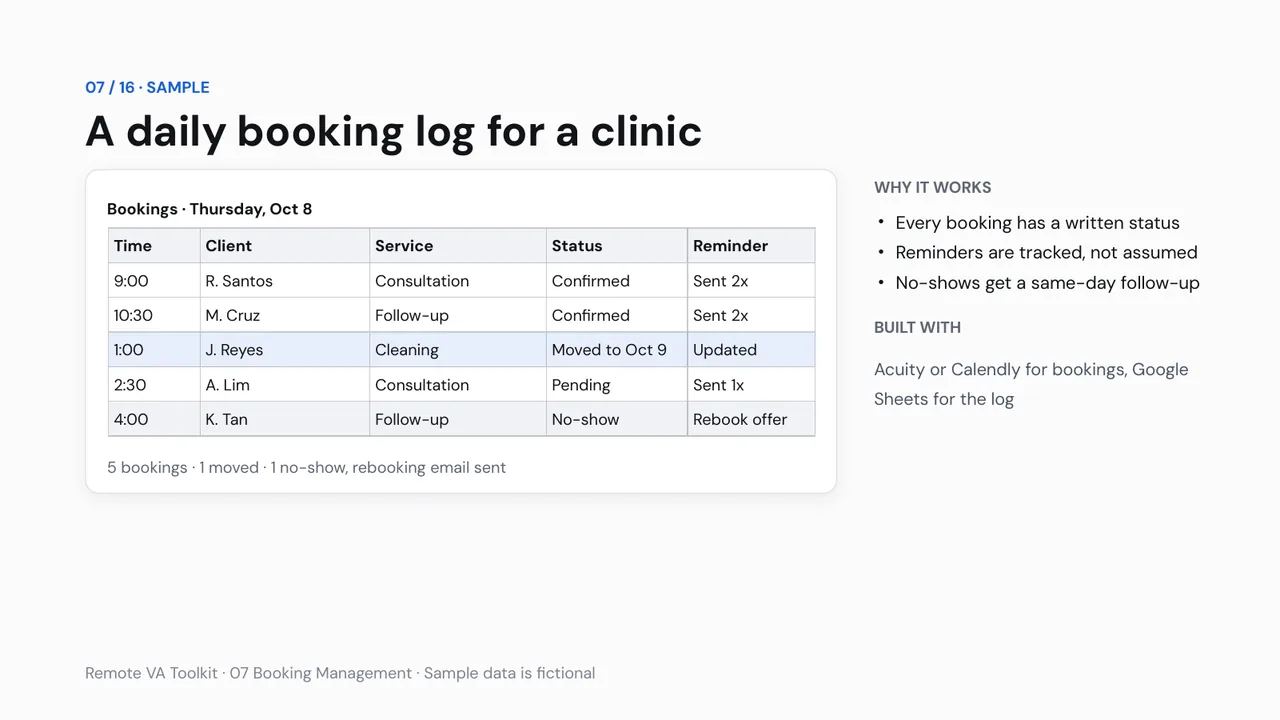
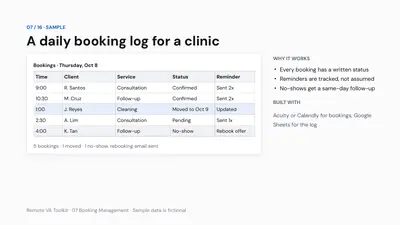 18 Booking Management · sample
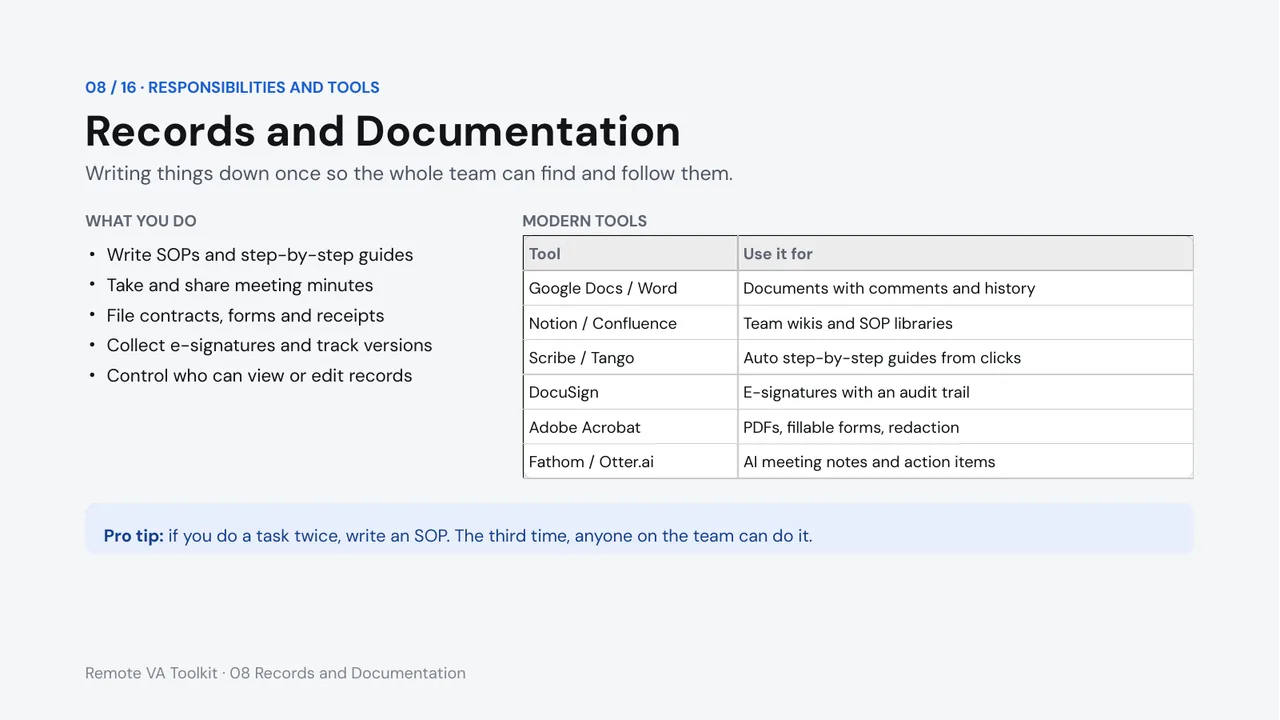
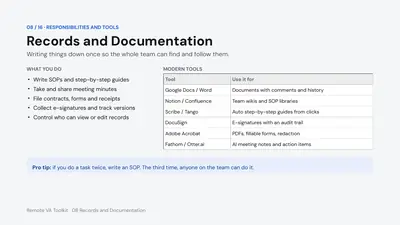 19 Records and Documentation · tools
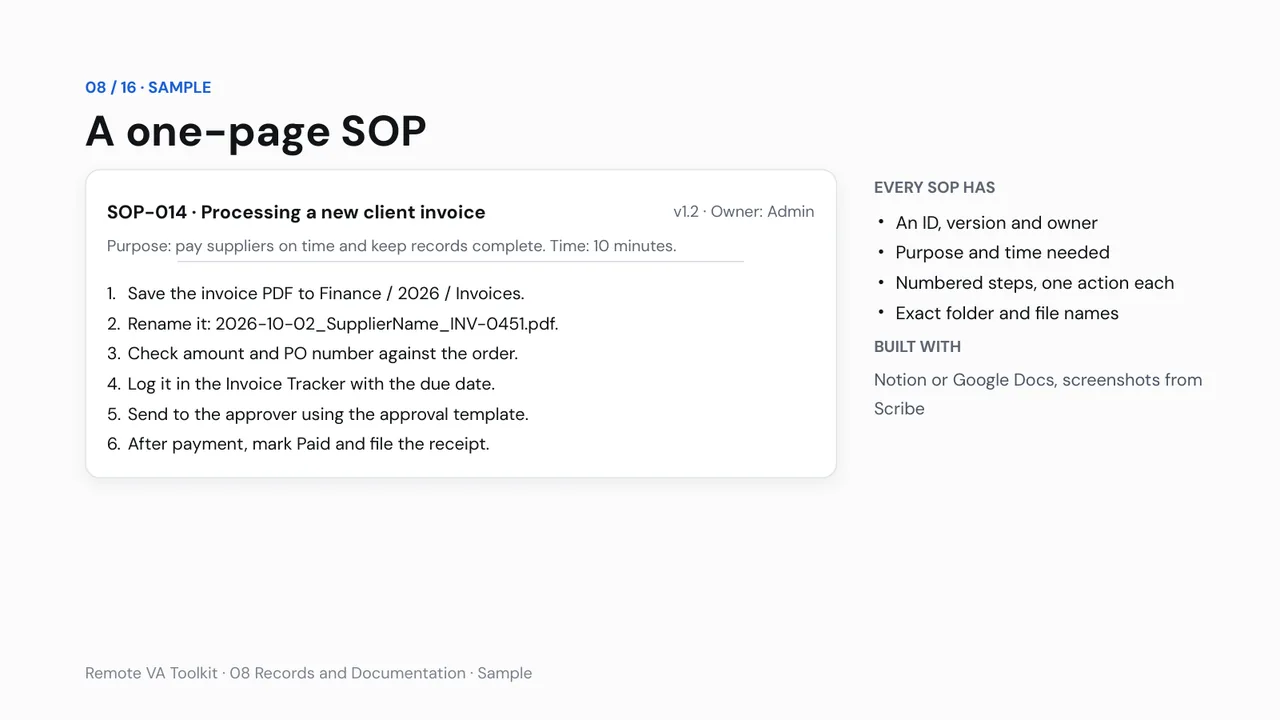
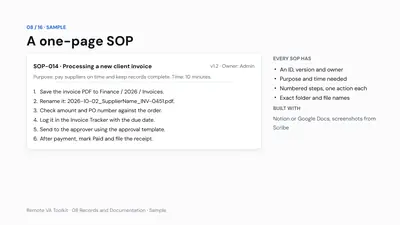 20 Records and Documentation · sample
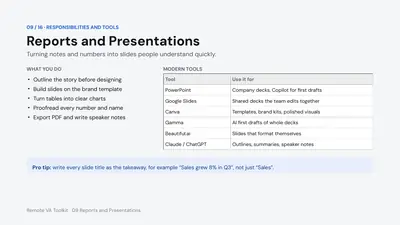 21 Reports and Presentations · tools
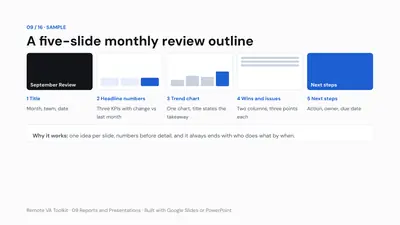 22 Reports and Presentations · sample
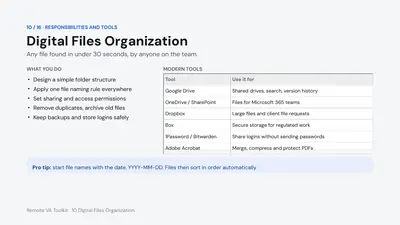 23 Digital Files Organization · tools
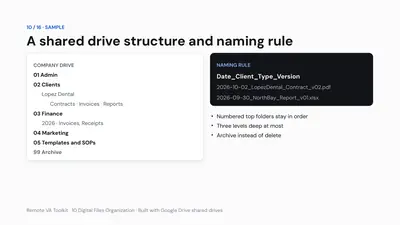 24 Digital Files Organization · sample
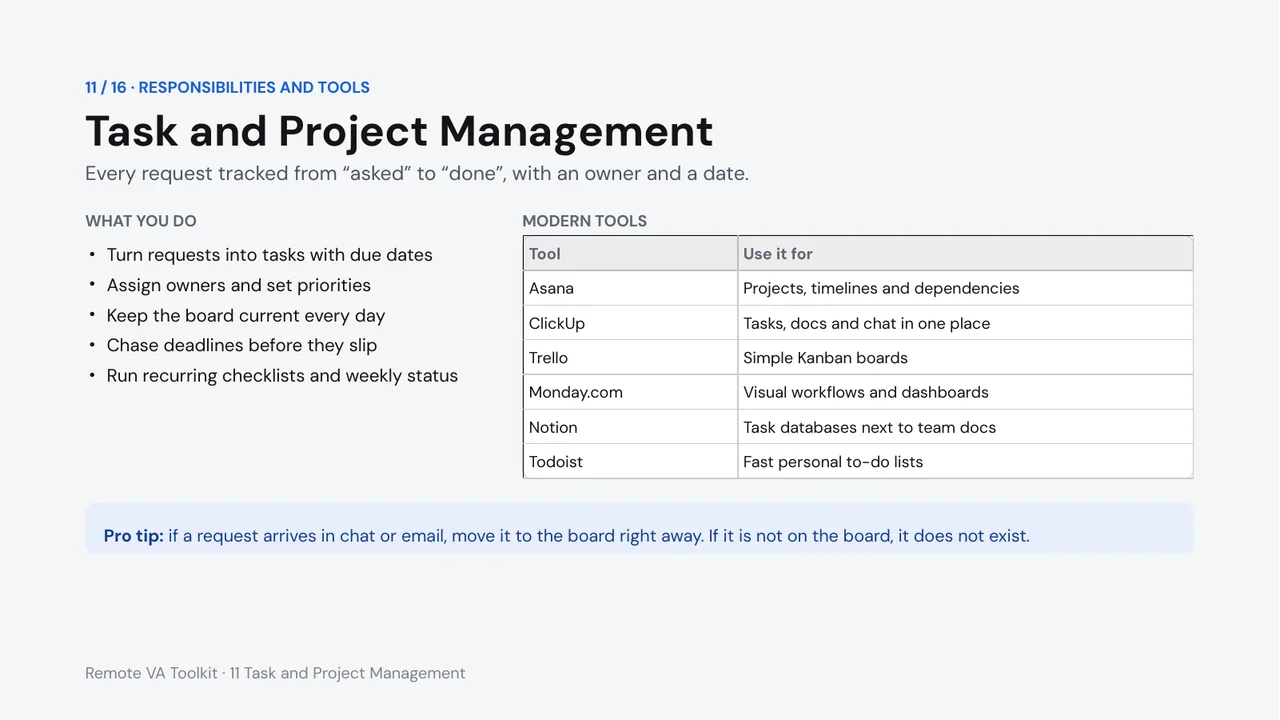
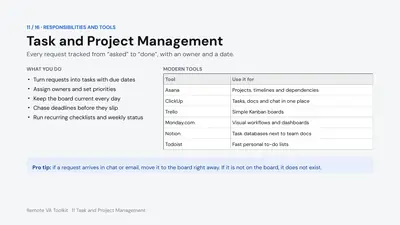 25 Task and Project Management · tools
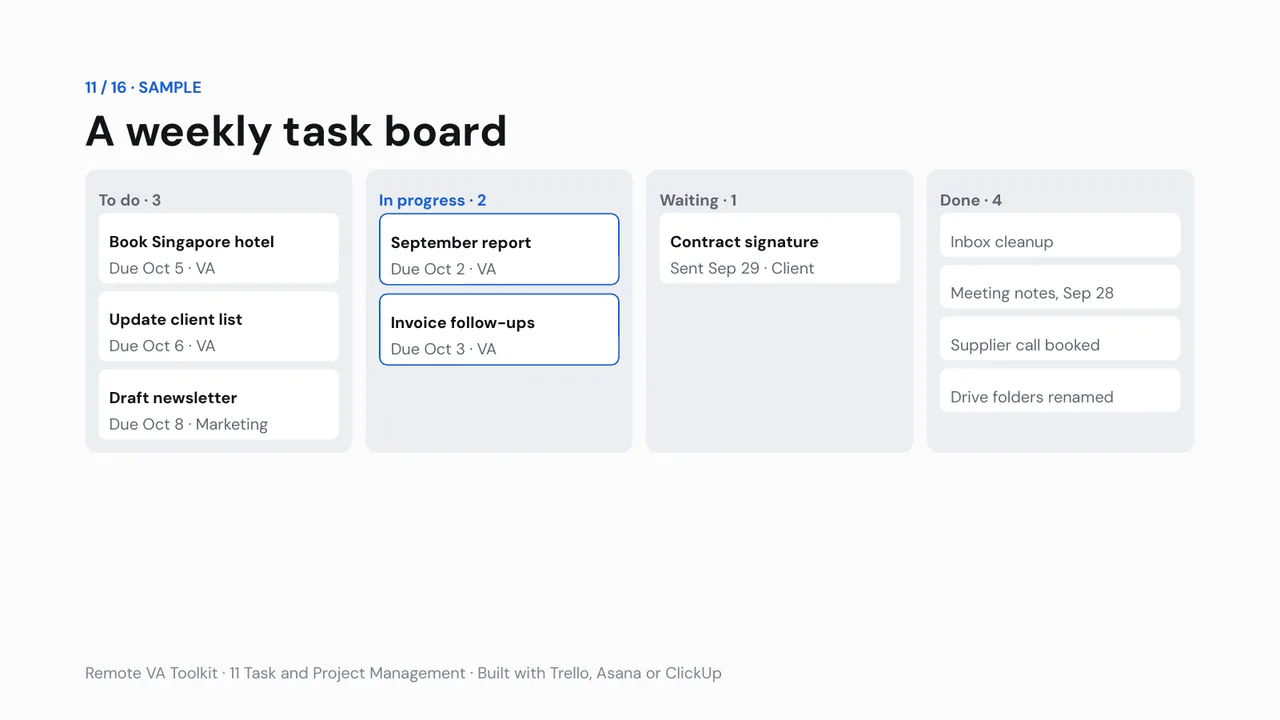
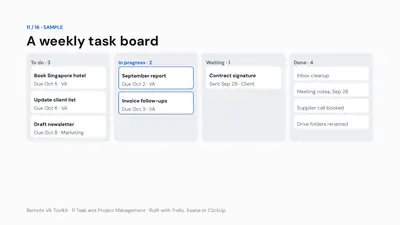 26 Task and Project Management · sample
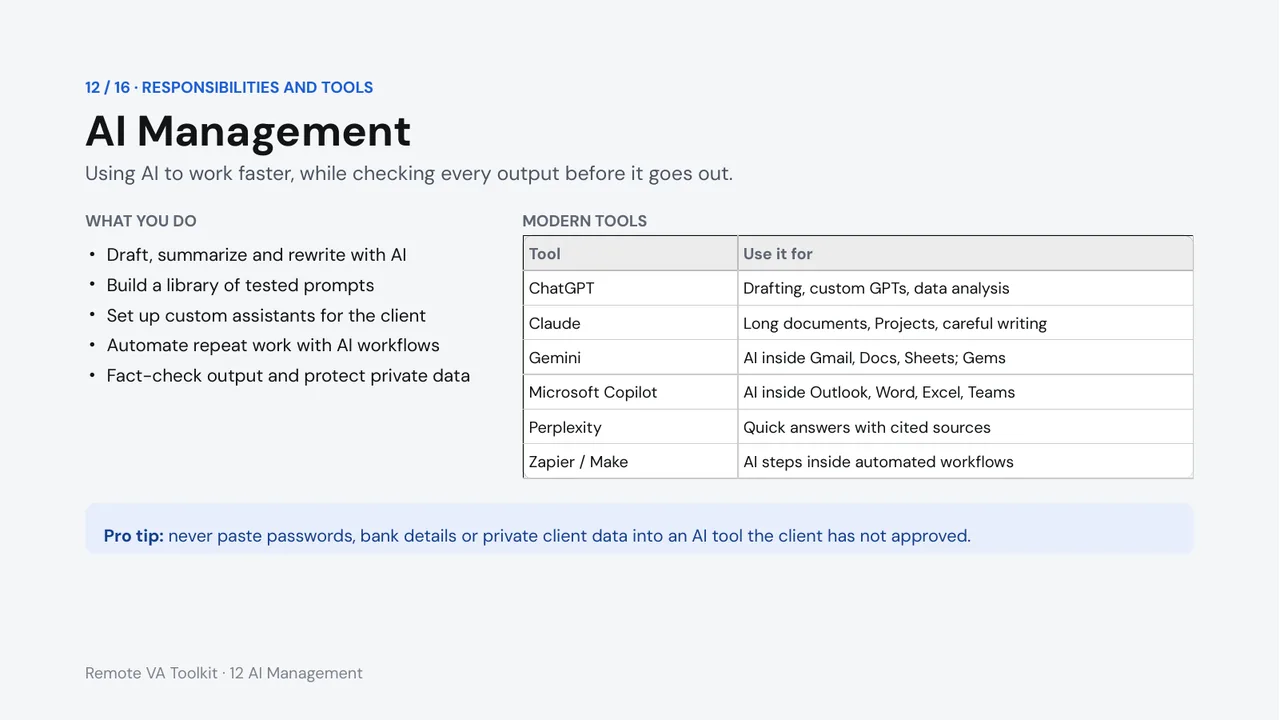
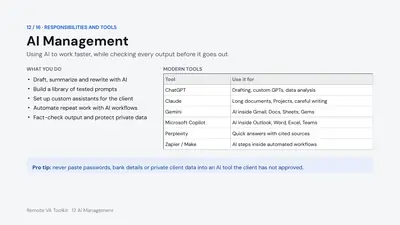 27 AI Management · tools
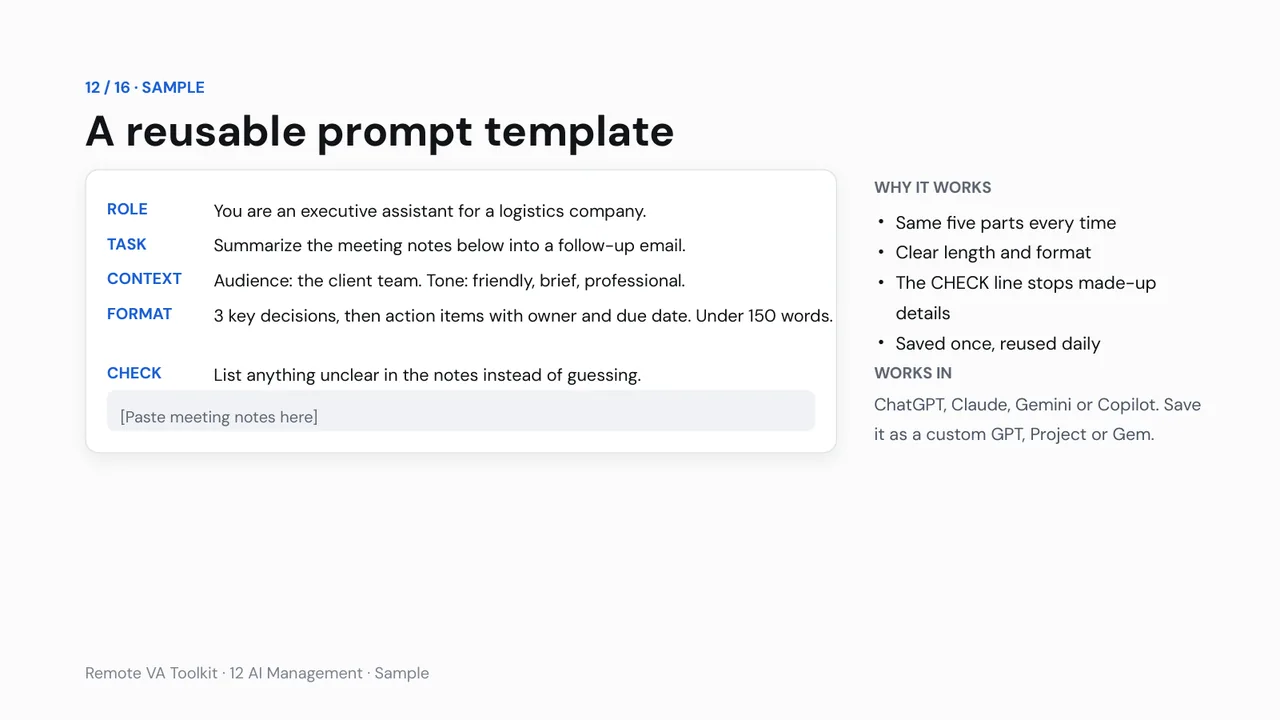
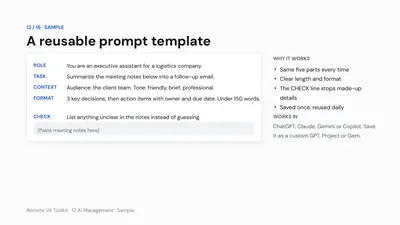 28 AI Management · sample
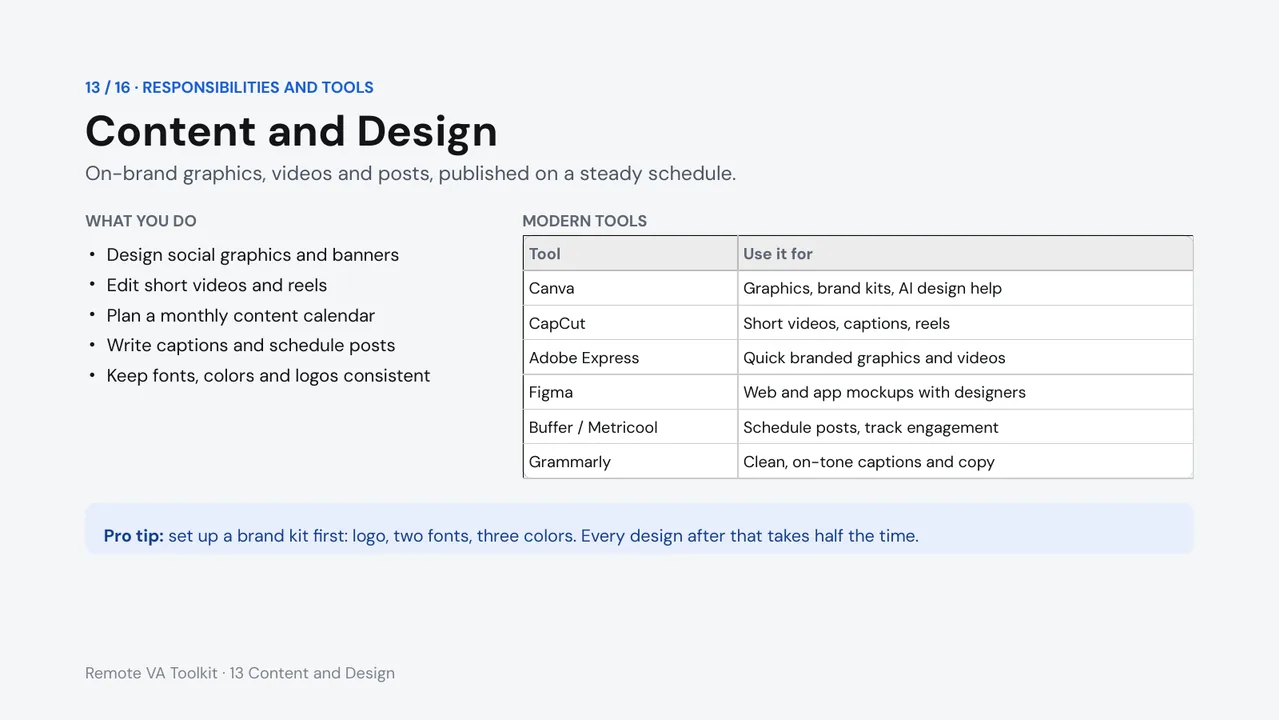
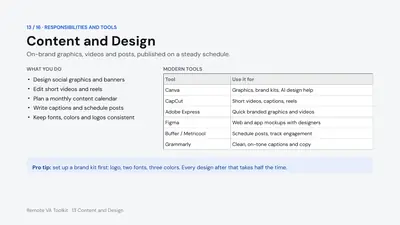 29 Content and Design · tools
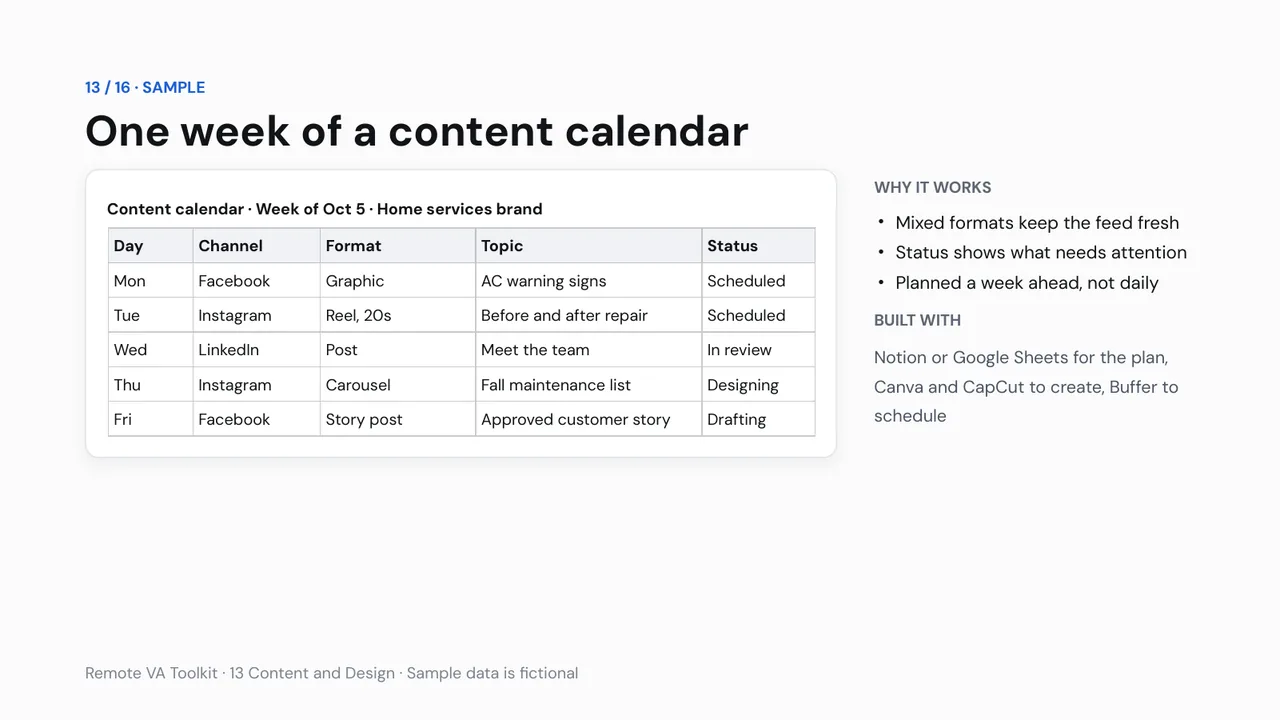
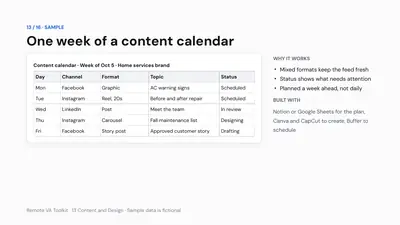 30 Content and Design · sample
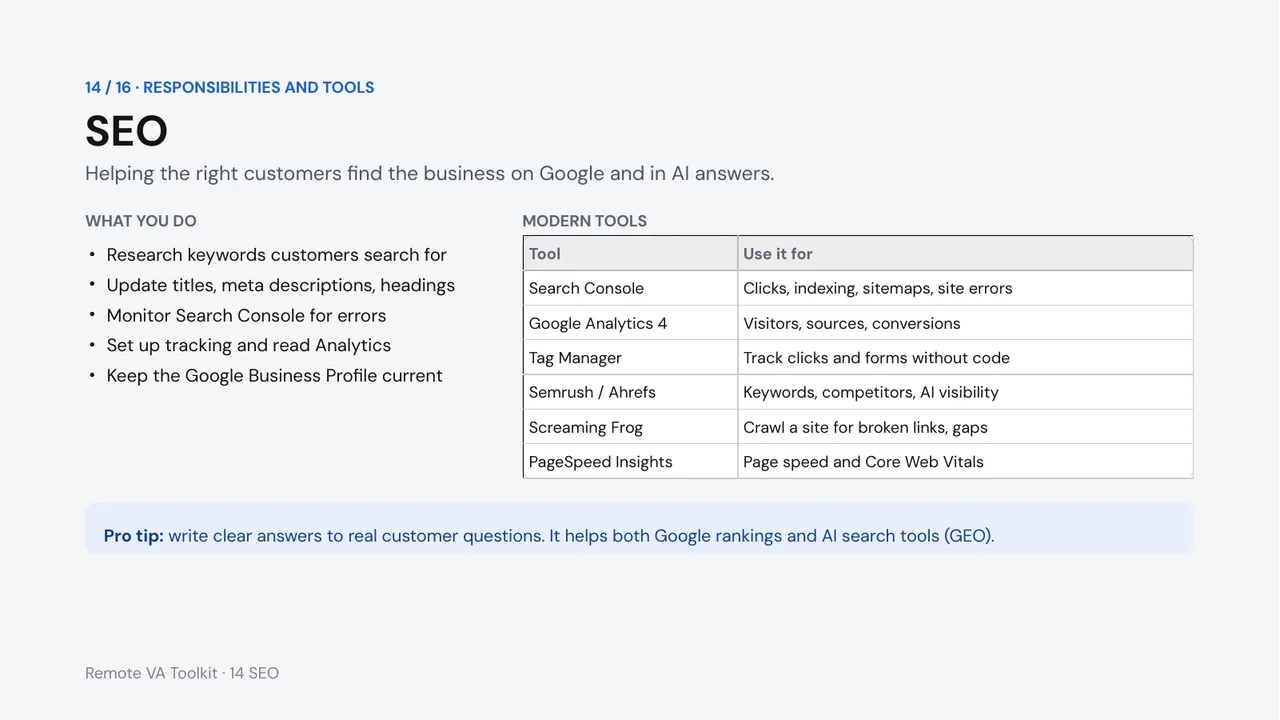
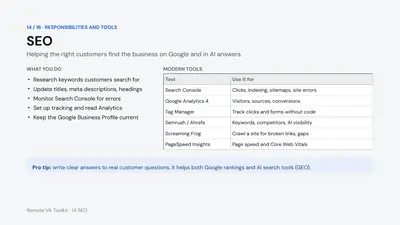 31 SEO · tools
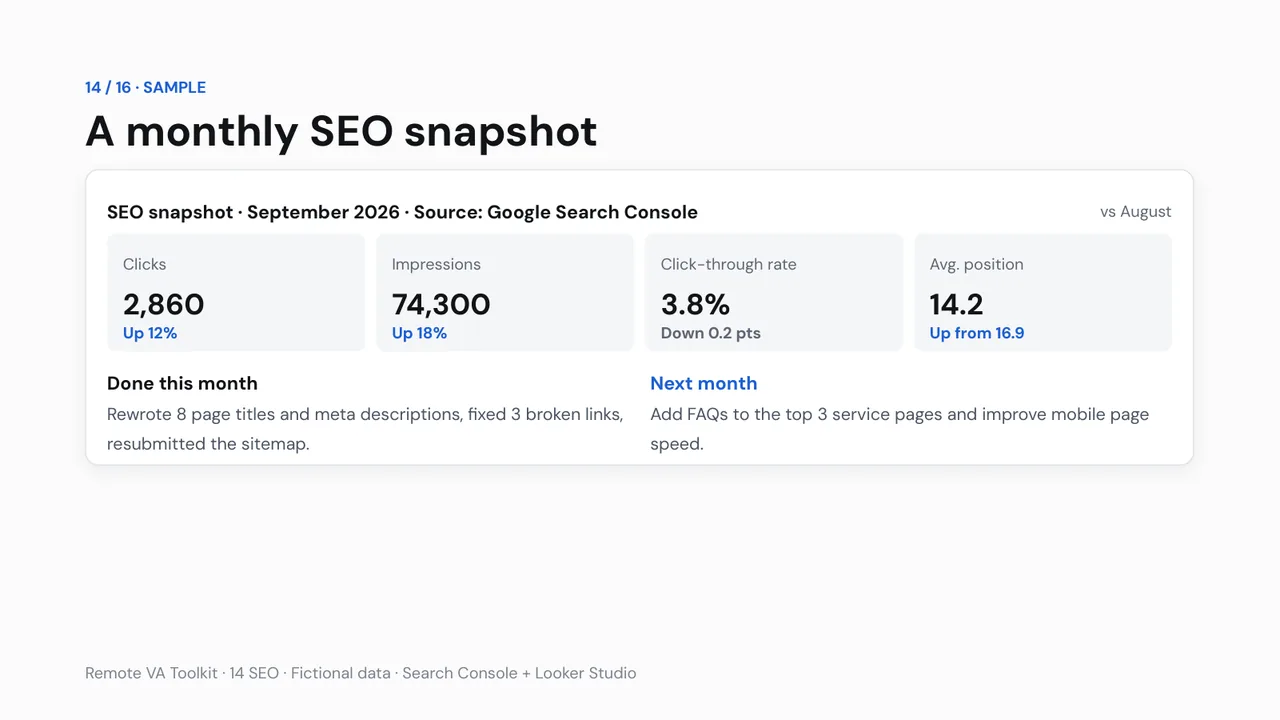
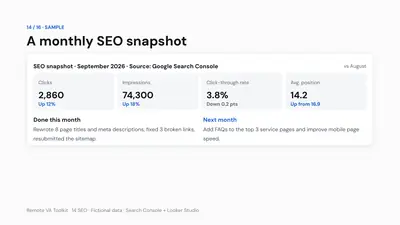 32 SEO · sample
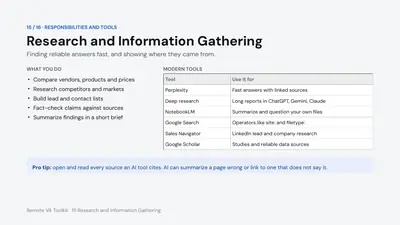 33 Research and Information Gathering · tools
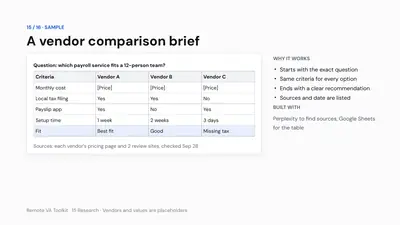 34 Research and Information Gathering · sample
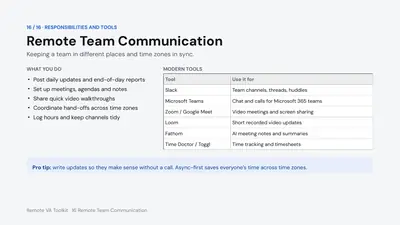 35 Remote Team Communication · tools
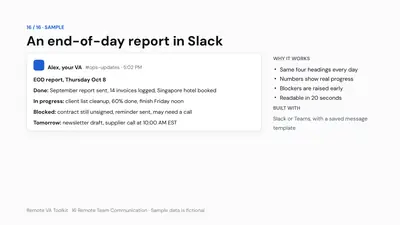 36 Remote Team Communication · sample
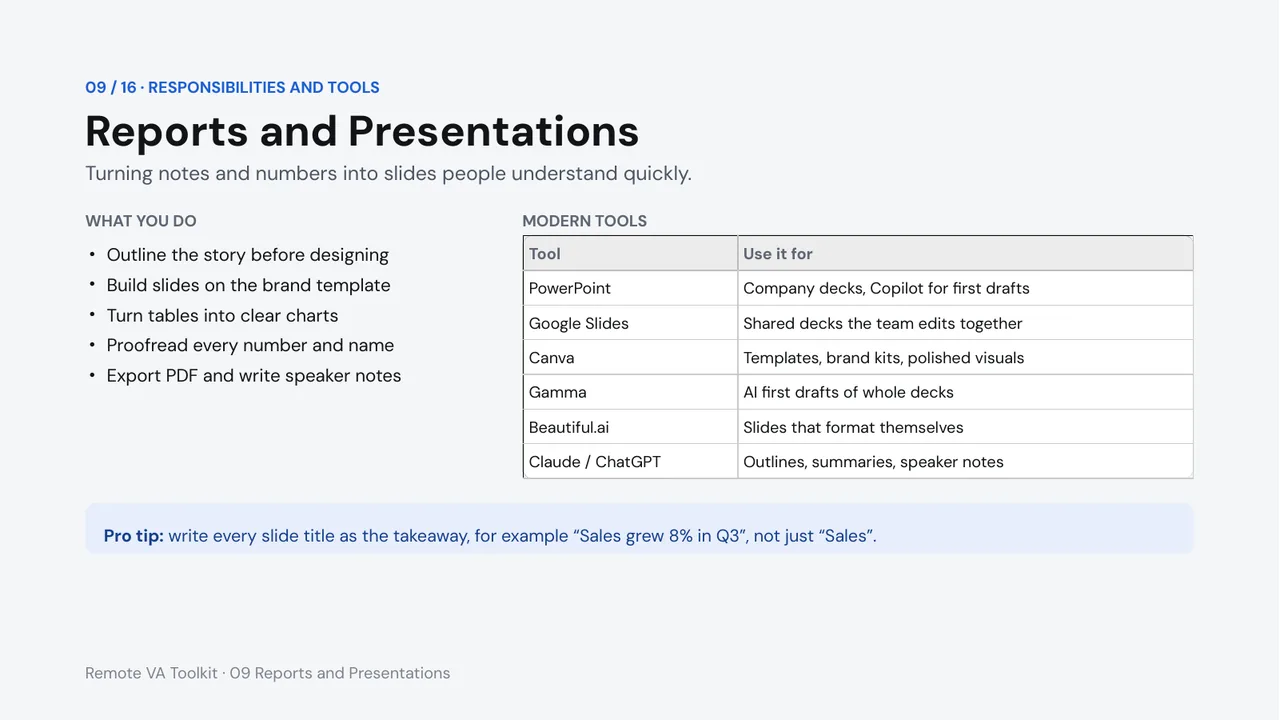
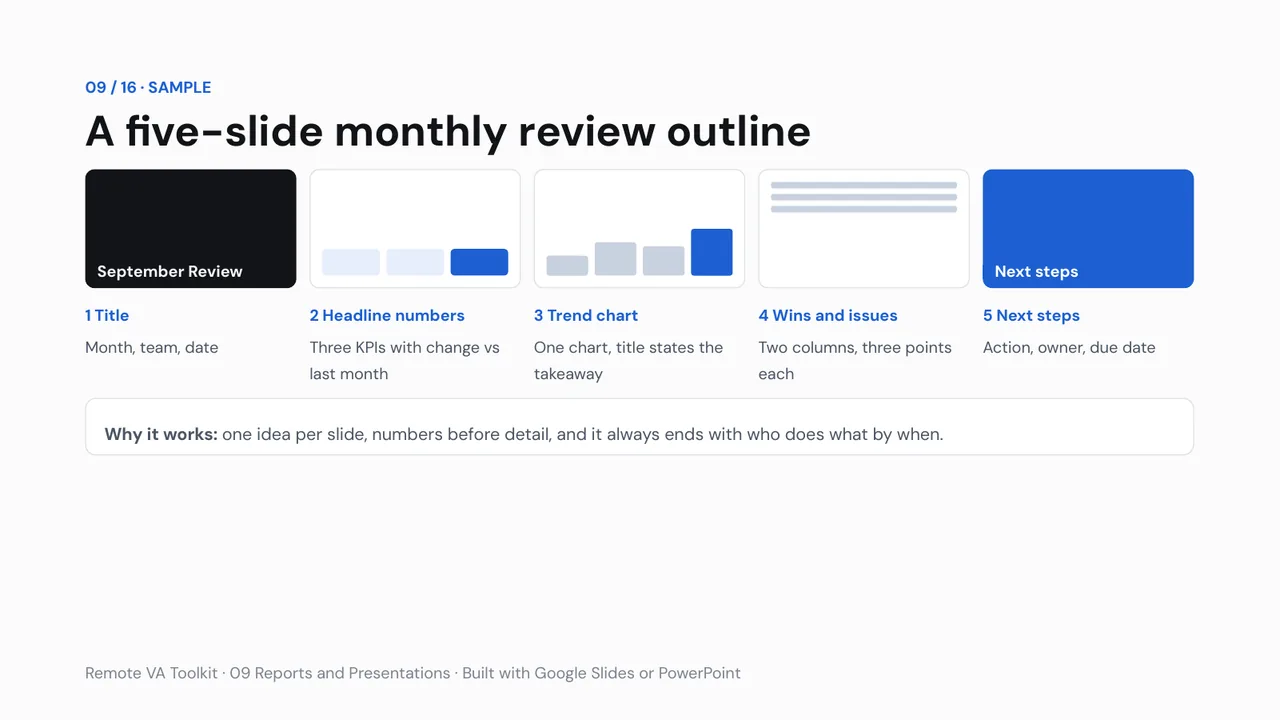
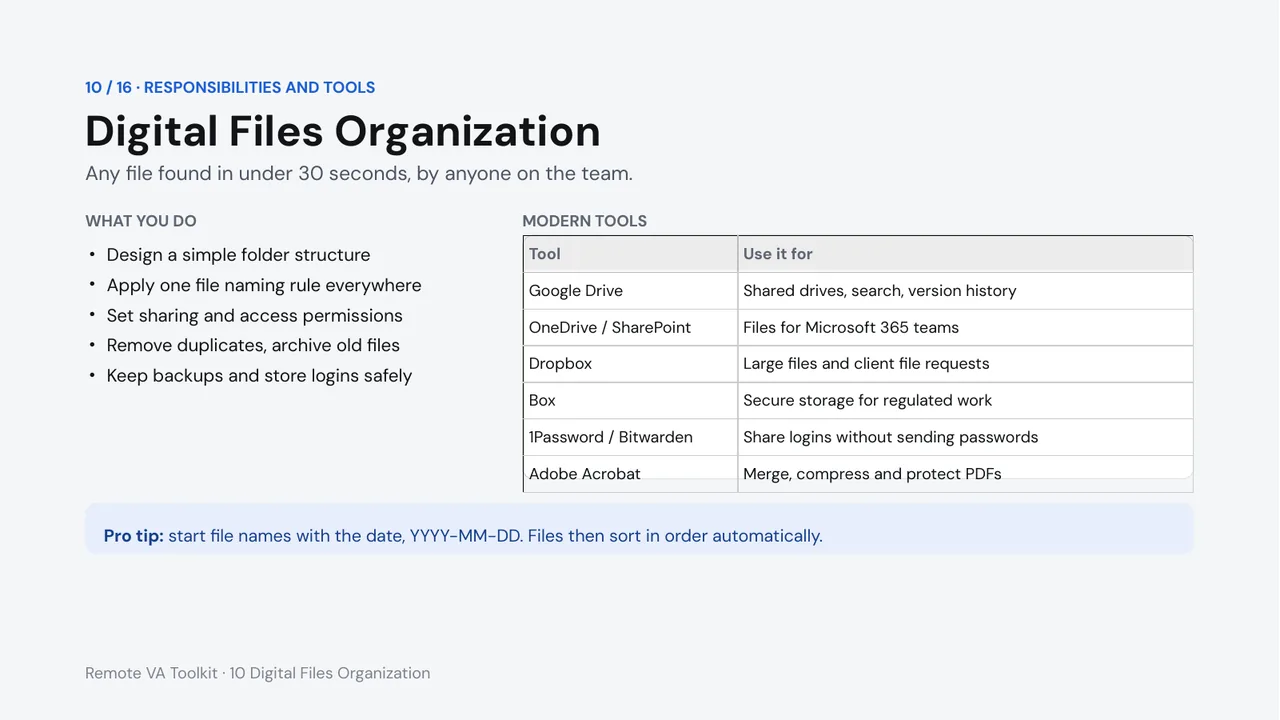
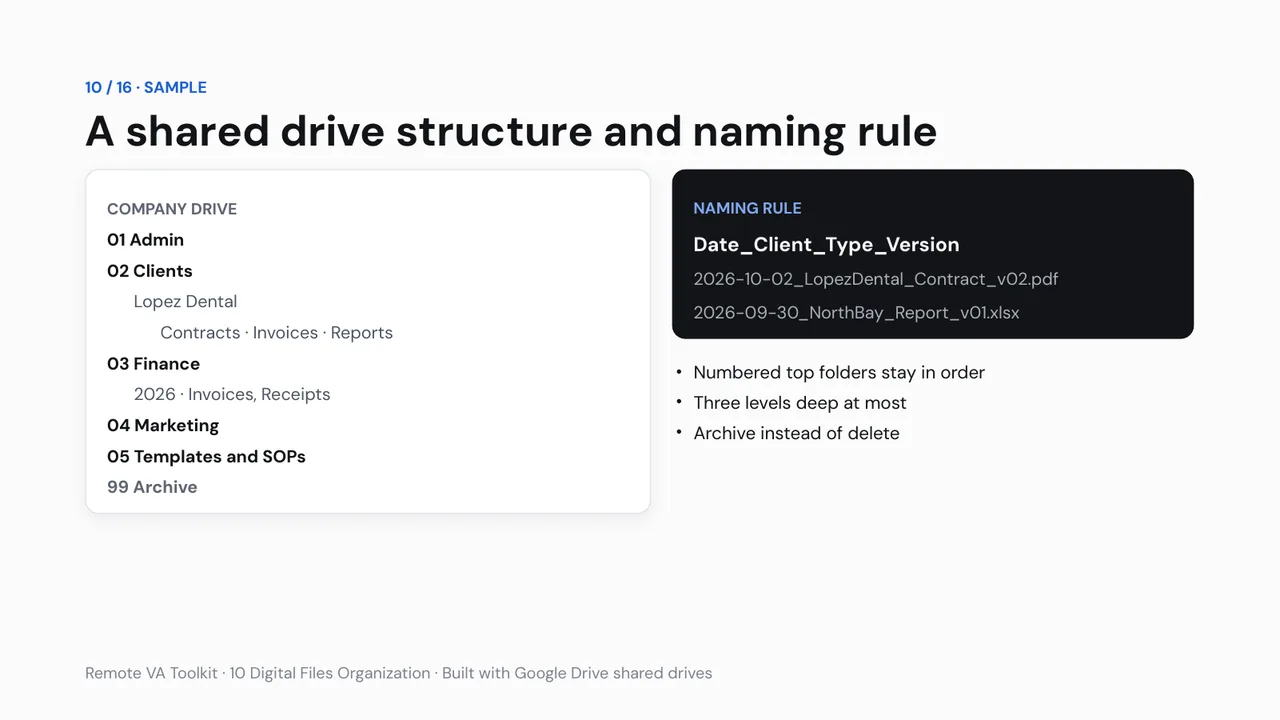
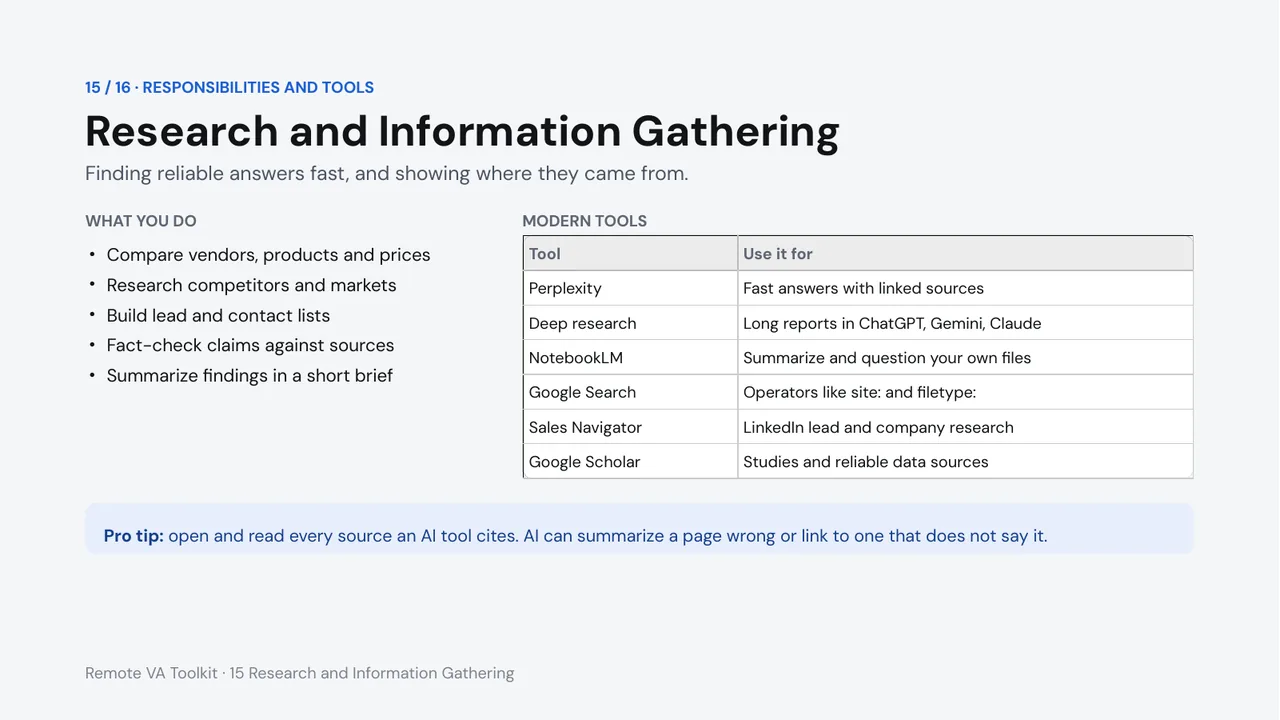
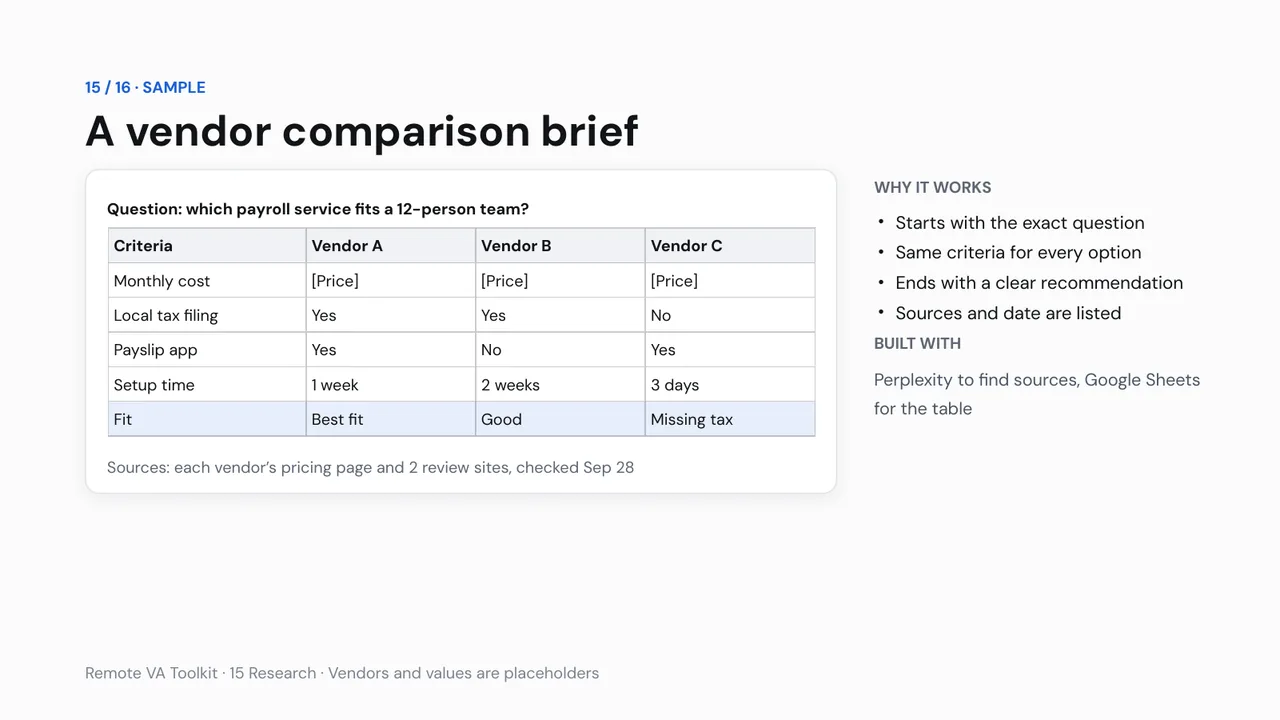
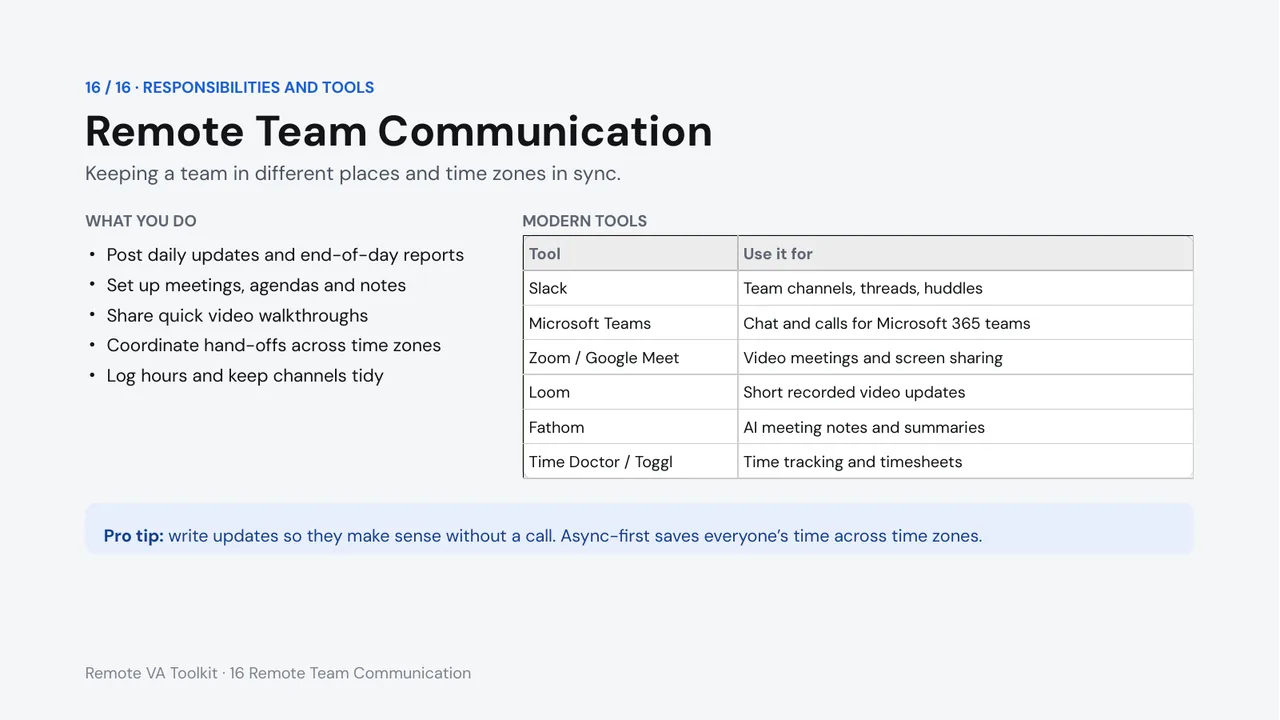
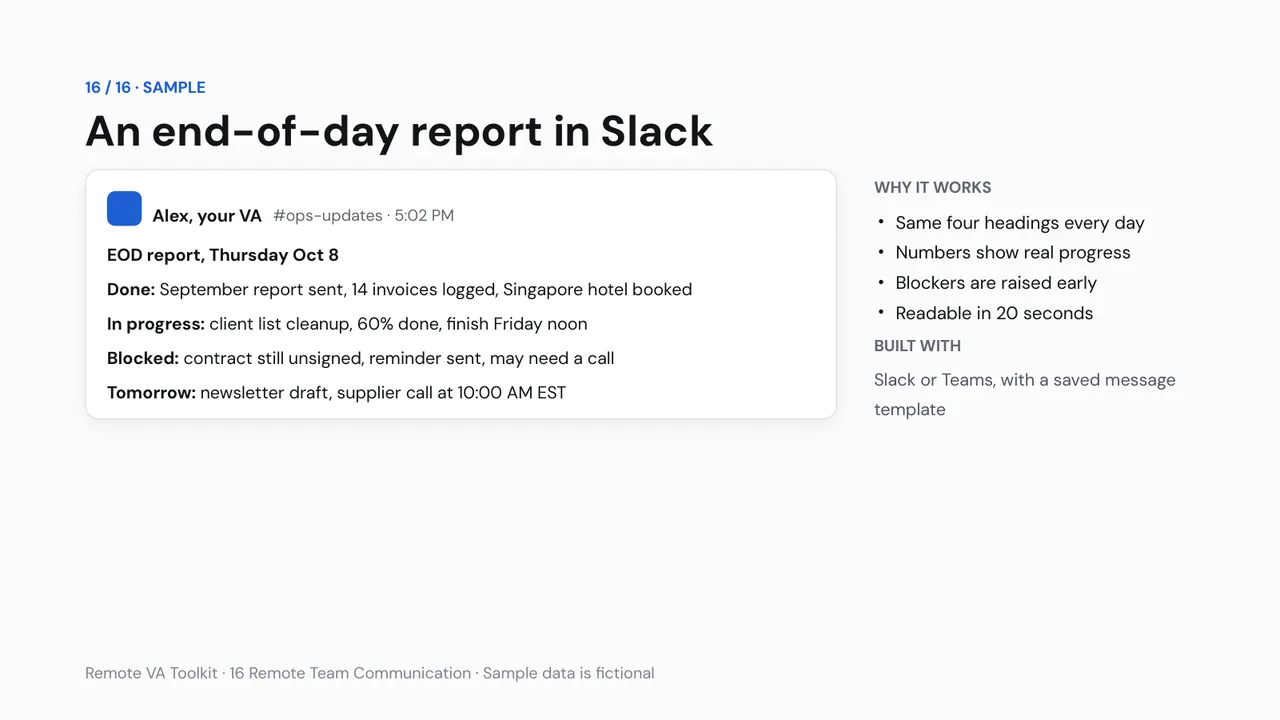
Wrap-up Slides 37 to 38

3How the deck is built
One pattern for every area
Each of the 16 areas gets two slides: the tasks and tools first, then a sample of the finished work.
Ready to present
Speaker notes on all 38 slides, a clear outline slide, and short titles that state the point.
Simple, consistent design
One typeface (DM Sans), blue for emphasis, near-black and grays for everything else.